
What’s New at Spear
See the latest feature releases and product enhancements

.png)
Spear Is Now Multichannel
Your sequences can now run on two channels at once. Every LinkedIn connection your prospects accept becomes a launchpad for a follow-up email, sent automatically within the same sequence. Add a "Send email" step anywhere after a connection is accepted, with the same subject, body, placeholders, and timing controls as your other steps. Emails send through Gmail or Outlook to the prospect's enriched work email; if none is on file, the step is skipped and logged in Messages. To get started, connect Gmail or Outlook in agent's tools tab, then add a "Send email" step in your sequence builder.
Spear Plays
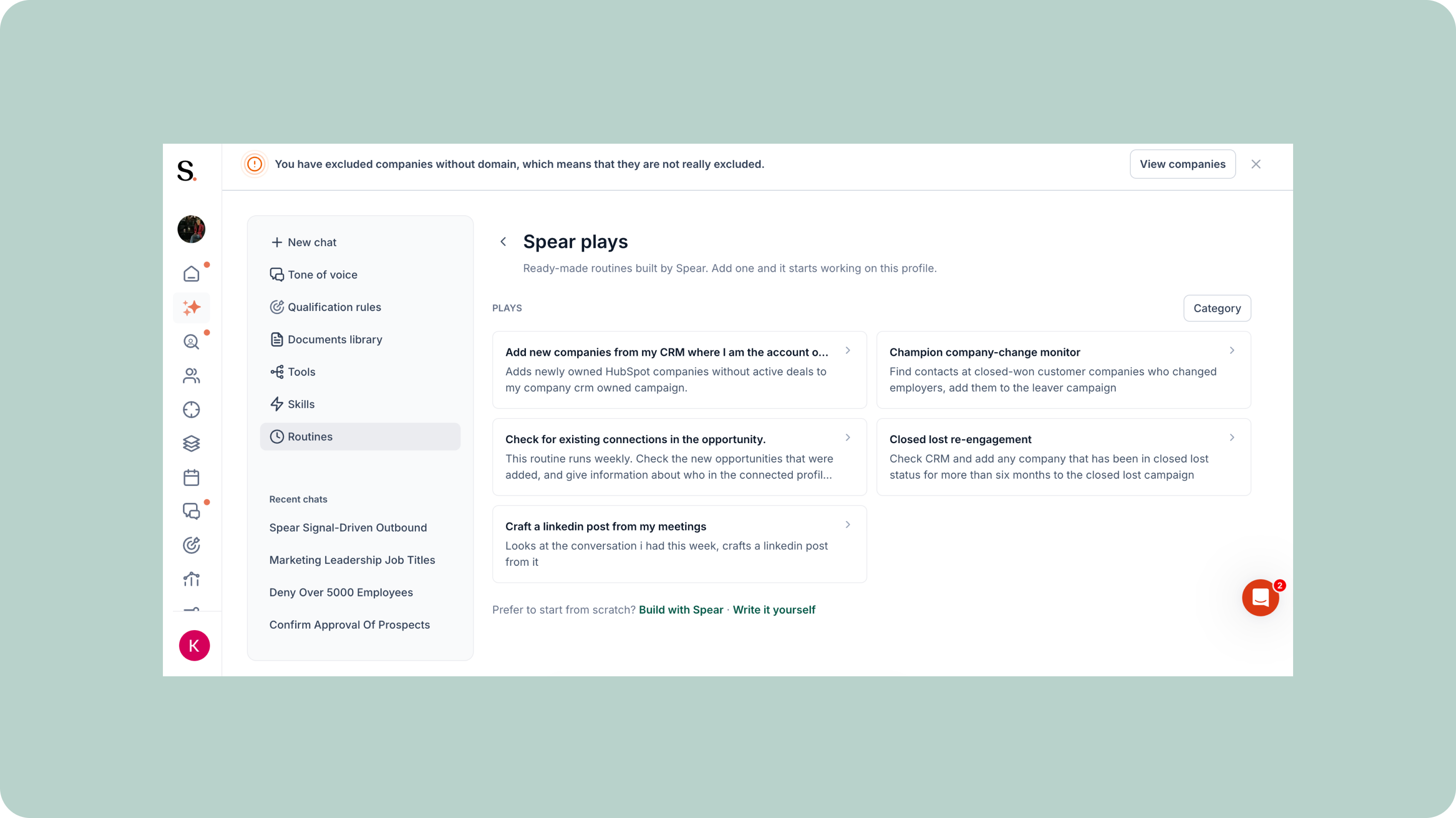
Spear Plays are here! Pick a play, activate it, and it's running. Spear Plays is a catalog of ready-made routines we build and maintain for you, based on real best practices and use cases. Recommended plays are matched to the tools you've already connected for zero setup, and each play's preview shows exactly what it does and needs before you add it, so there are no surprises. Once added, it's a normal routine you fully own: edit it however you like, and our future updates to the play won't touch your version. Use a play to add companies from your CRM where you're the account owner to a campaign, find contacts from your closed-won companies who've changed employers, or scan your notetaker conversations for a suggested LinkedIn post. The result: proven workflows running on autopilot from day one, with full control to make each one your own.
Spear Connects to 38+ of Your Tools
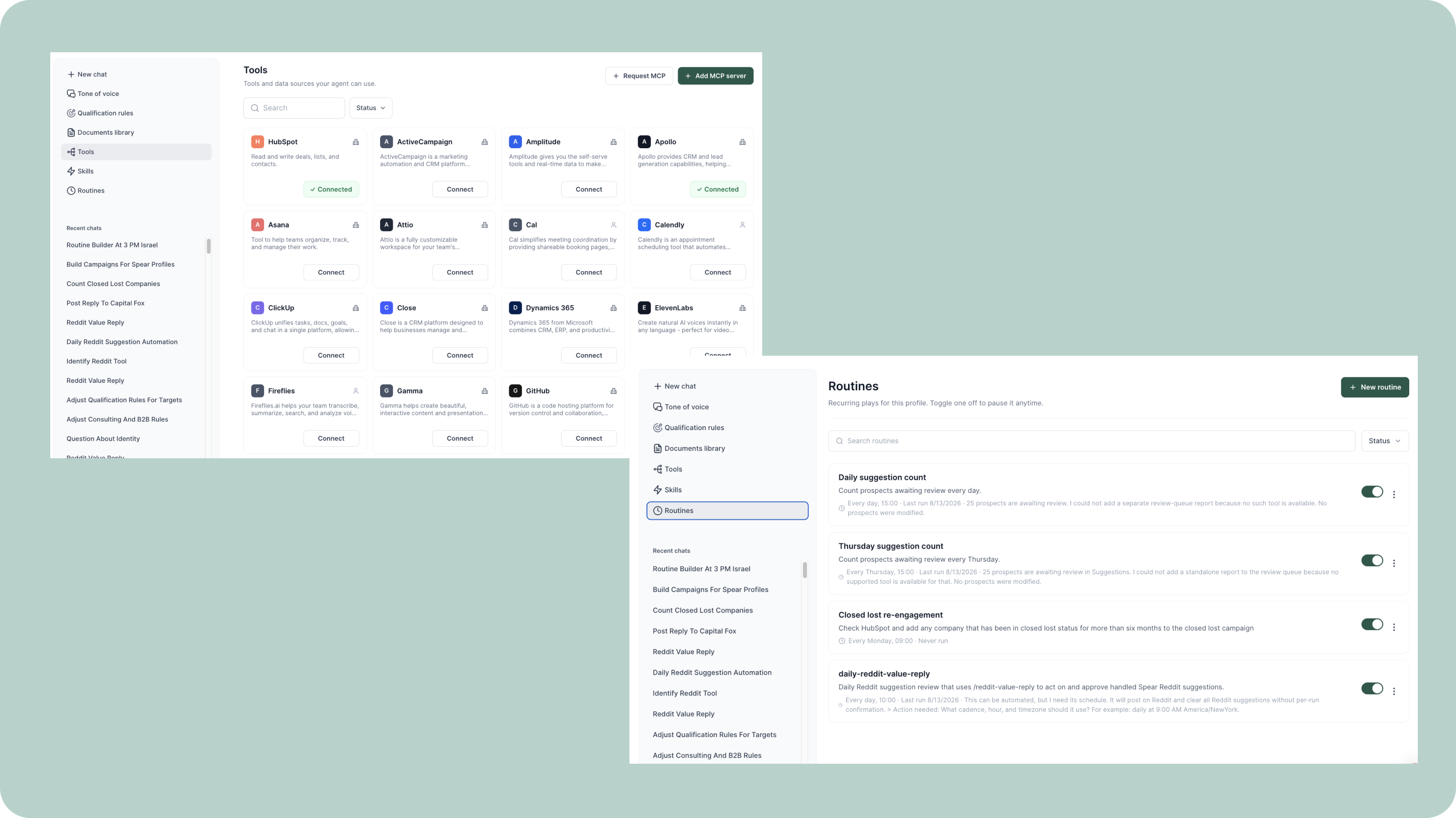
Your best GTM workflows don't live in one place; they're scattered across your tech stack. Spear now connects to 38+ of your tools, from Google Sheets and Notion to Zoom, Instagram, Apollo, Calendly, Attio, Reddit, Asana, ClickUp, and more. Connect them from the new Tools tab and first-party data flows straight in, no exports, no copy-paste. This opens the door to workflows like a fresh list of hot leads from HubSpot every morning, signal alerts the moment a champion changes jobs, auto-managed replies on Reddit, or prospect lists pulled and updated straight from Apollo. Pair it with the new Routines tab and any recurring workflow runs itself, on whatever schedule you set. The result: your GTM stack working together in one place, with less manual syncing and more automation running in the background.
Control Prospecting and Sequencing Separately
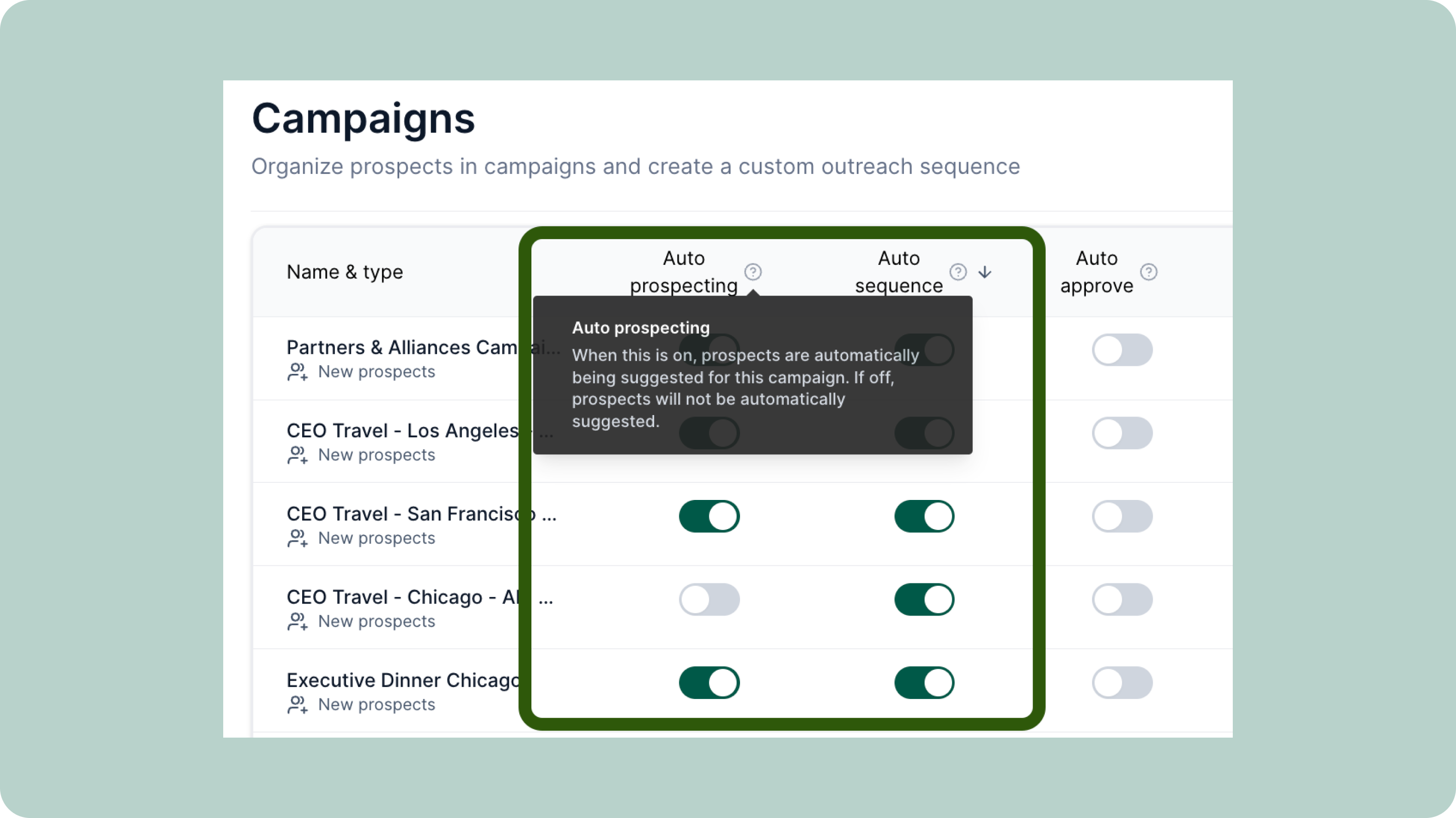
Until now, one toggle controlled your whole campaign. You now get a second one: Auto Prospecting, alongside the toggle you already know, renamed from Active to Auto Sequence for clarity. Auto Prospecting decides whether Spear keeps finding and adding new prospects to a campaign, while Auto Sequence decides whether messages keep going out. Run both together as usual, or split them apart, pausing new prospect creation while your sequence keeps sending to the list you already have. The result: finer control over each campaign's pace, without pausing outreach just to stop new prospects from coming in. Available now on standard and event campaigns.
Bring Your Own Skills
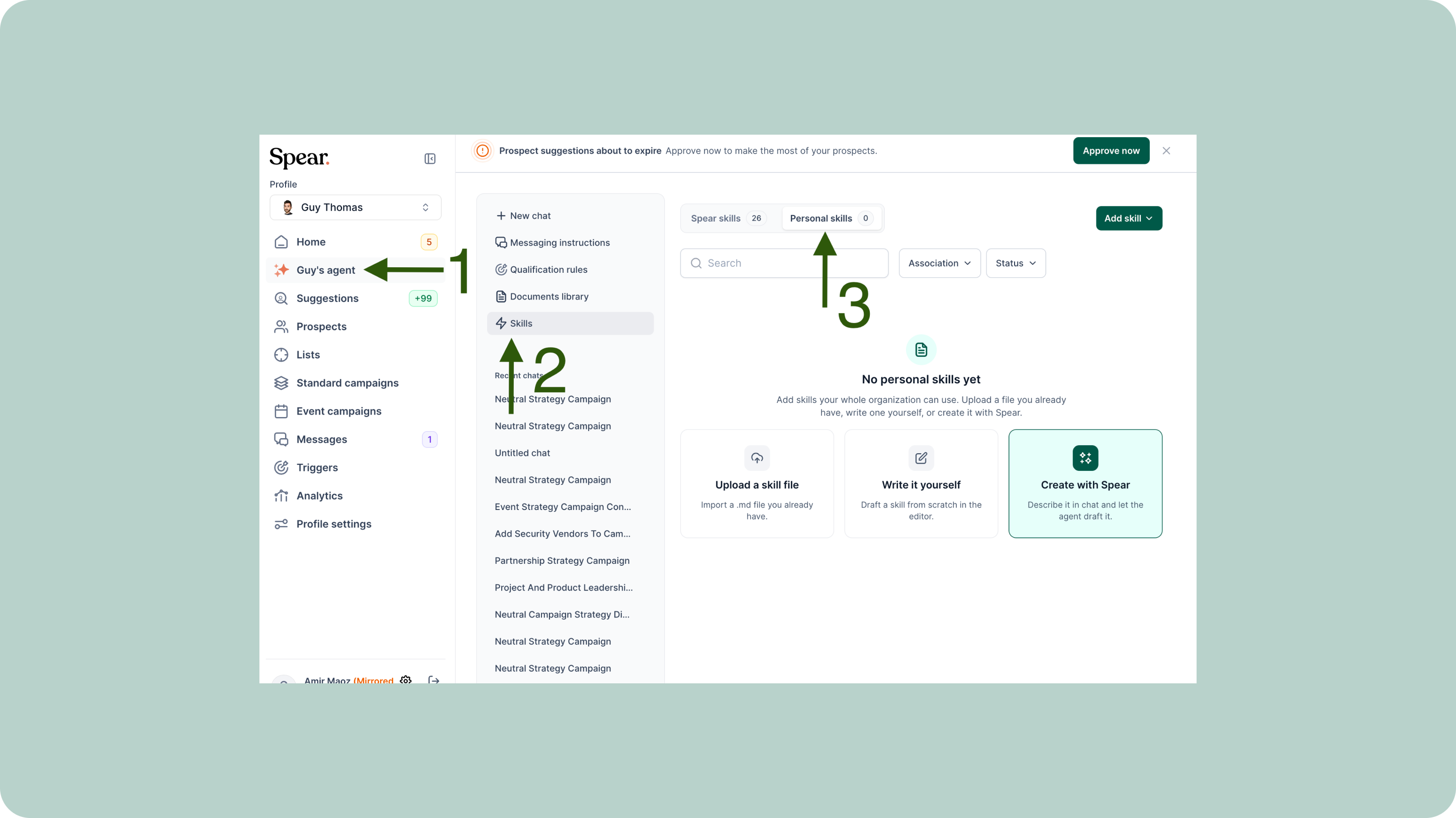
Build your own custom flows directly into the agent with the new Skills menu. The Skills page in /chat is now split into Personal Skills and Spear Skills, so you're no longer limited to what ships out of the box. Create a skill three ways: have the agent interview you and draft it, write the instructions yourself in the in-app editor, or upload a .md file. Scope each skill to just your profile or the whole org, toggle it on or off, and edit, download, convert to org-level, or delete it anytime from the kebab menu. This means your team's specific outreach flows, qualification processes, and messaging patterns can now live directly inside the agent instead of scattered across docs and habits.
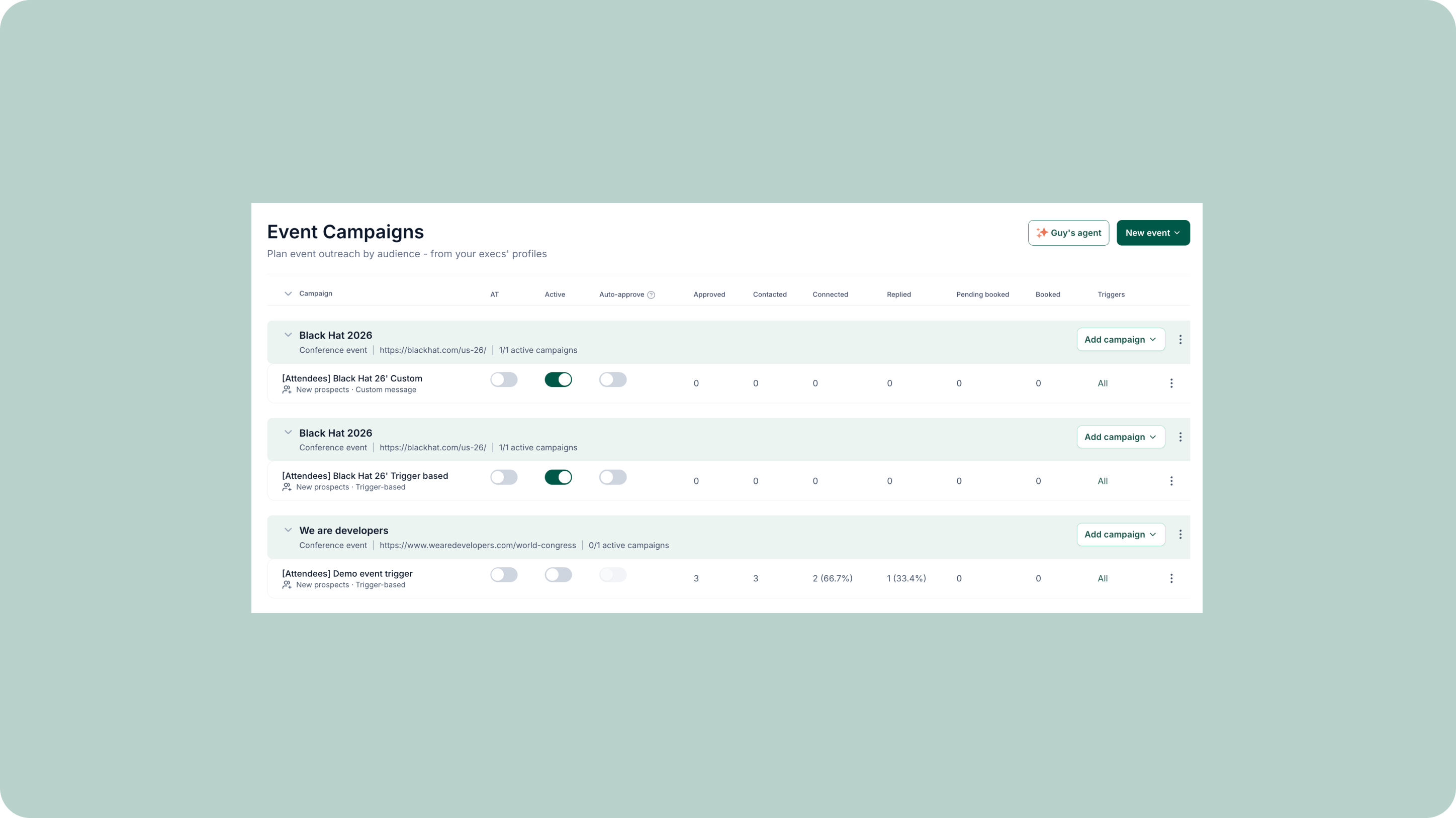
Events Now Have a New Home
Build every campaign for a conference or webinar in one place, without juggling disconnected campaigns for the same event. Head to Event Campaigns in the left panel, click New Event, and choose your event type to get started. Add the required details and save. The event opens as its own category, and from there you can create the different campaigns under it. Running several events at once? Upload a CSV or XLSX to your agent and create them all in a single batch. For conference events, you also choose exactly who each campaign targets: attendees, speakers, sponsors, with your own filters, so you can reach multiple personas from the same event through separate, tailored campaigns. The result: a single, collapsible home for every event, multi-persona reach from one view, and campaigns that stay organized as your event calendar grows.
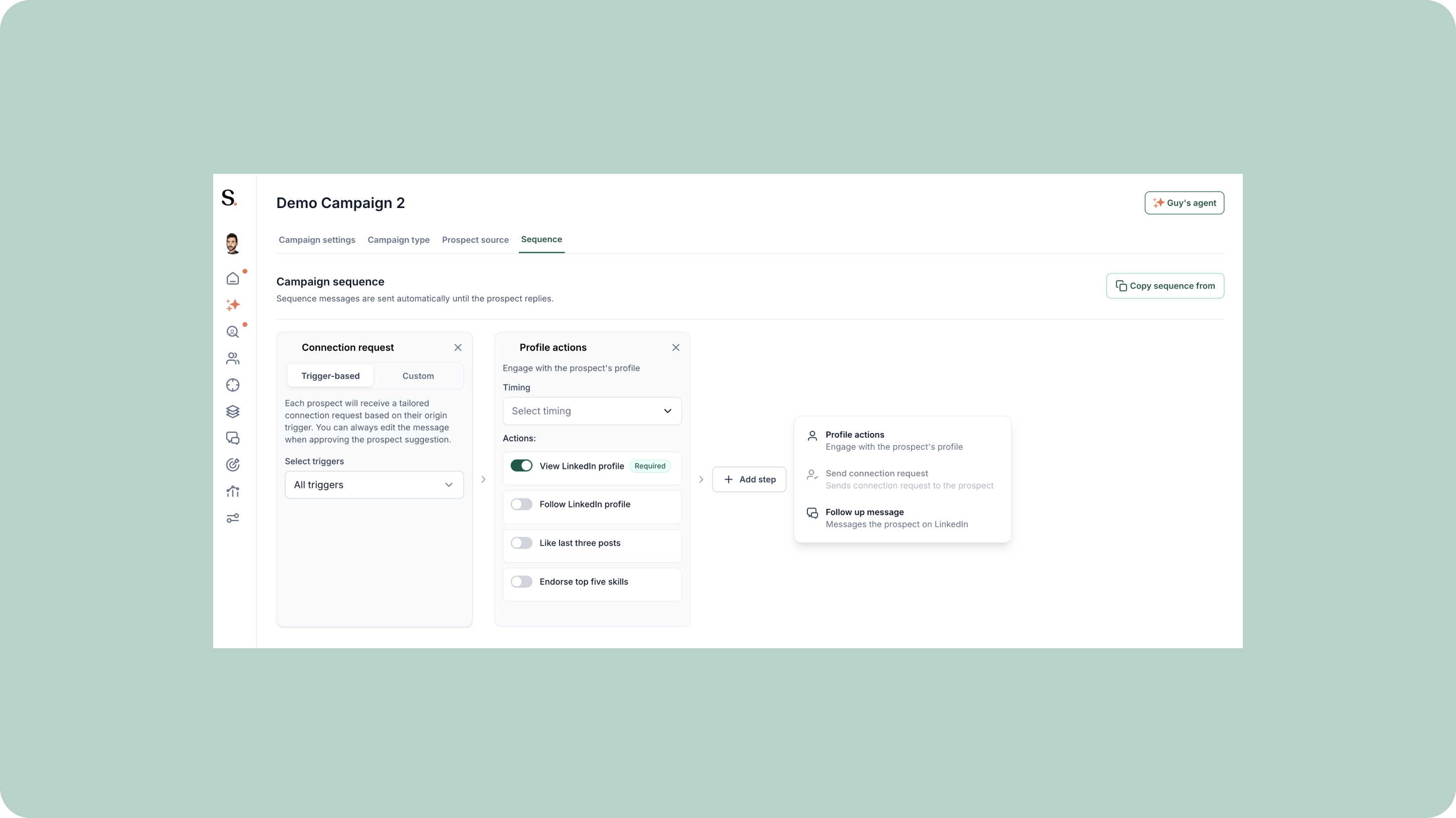
Warm-Up Steps & Free-Form Sequences
Build sequences that earn trust before making the ask. You can now add warm-up steps to any campaign — view a profile, follow, like their last three posts, or endorse five skills — so prospects recognize you before the connection request ever arrives. Sequences are now fully free-form: the connection request is just another step you place wherever it makes sense, no longer pinned to the top. For existing-network campaigns, sequences start clean — add a view, a first message, or any combination of engagement steps to build the flow that fits your outreach.
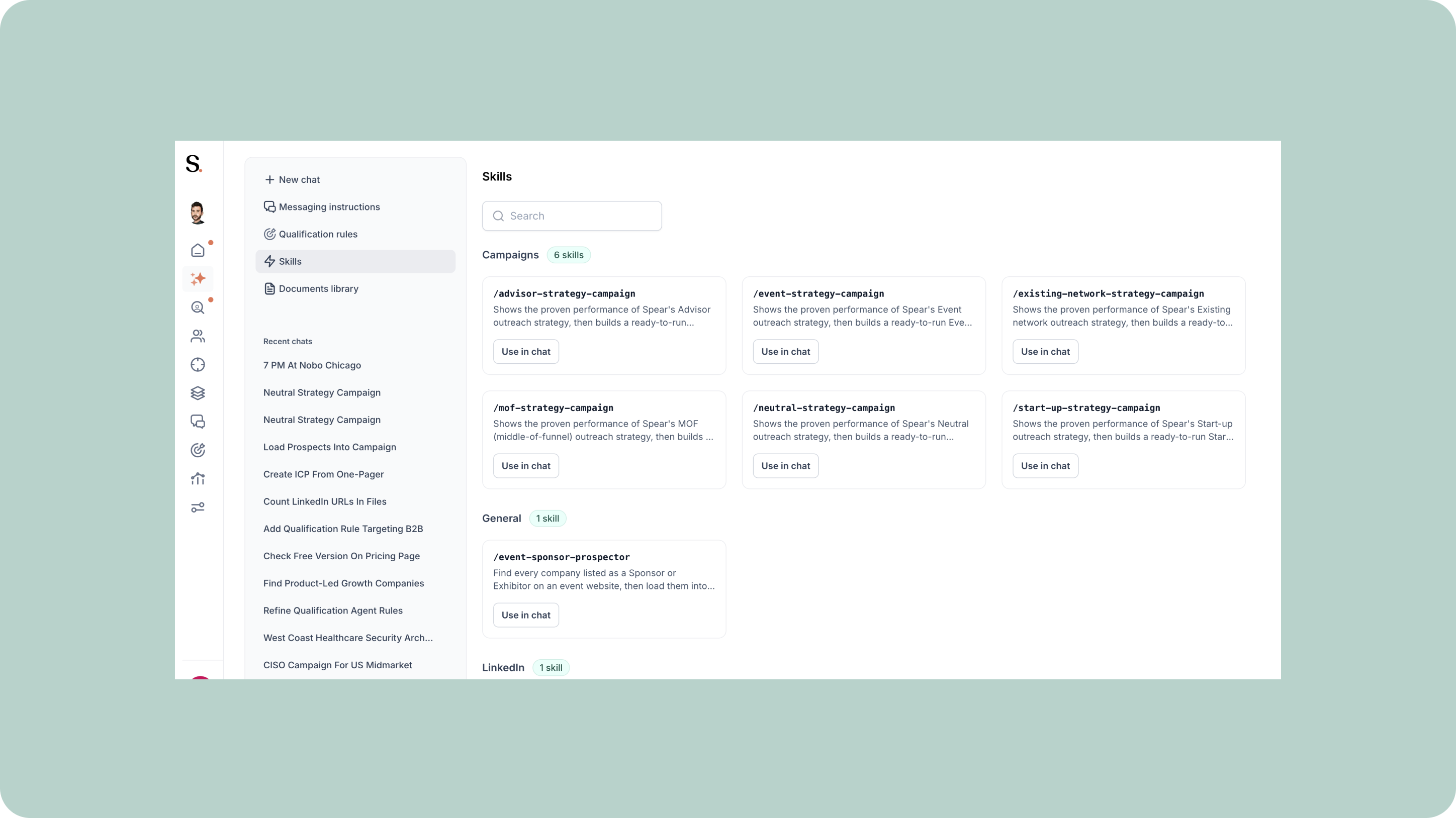
Spear Skills
Spear creates and maintains skills: purpose-built AI behaviors that run behind the scenes as you work. When you start a conversation in the agent, the platform recognizes what you're trying to do and automatically applies the right skill, whether that's building a campaign, analyzing a prospect, or any other repeatable workflow. Skills are developed by the Spear team based on what customers actually need, and new ones are added as use cases emerge. The result: faster execution, more consistent output, and a platform that gets sharper over time.
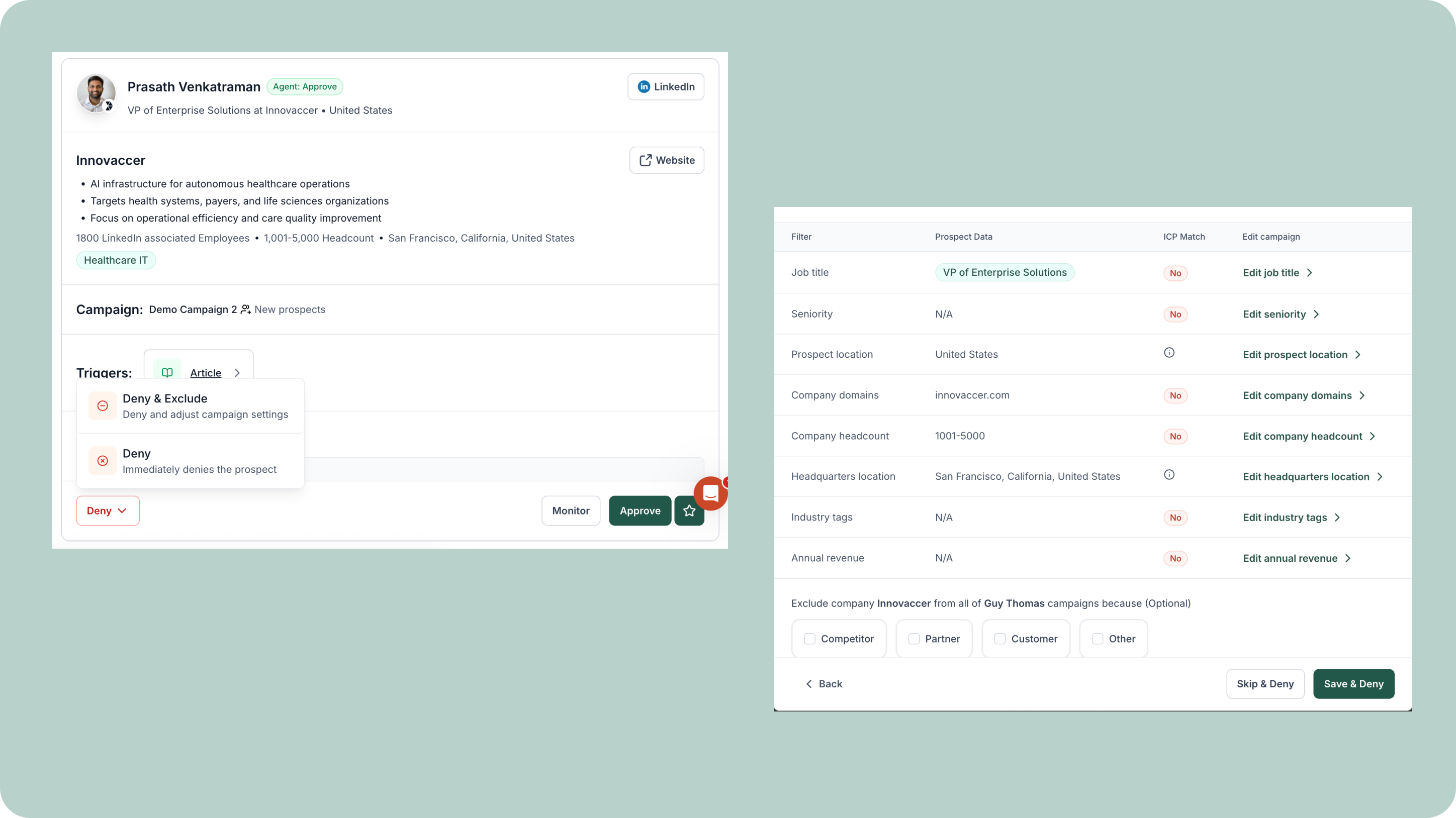
New Denial Workflow
Refine your targeting as you review prospects with the new Denial Workflow. You can now shape your campaign ICP directly from the Suggestions page, turning every "no" into a smarter "next." When denying a prospect, you can either simply reject them or deny and instantly update your ICP by excluding specific criteria. This means your targeting improves in real time, without leaving your workflow or waiting for manual adjustments later. Now every review becomes a feedback loop: faster ICP refinement, sharper targeting, and consistently better-fit prospects in your campaigns.
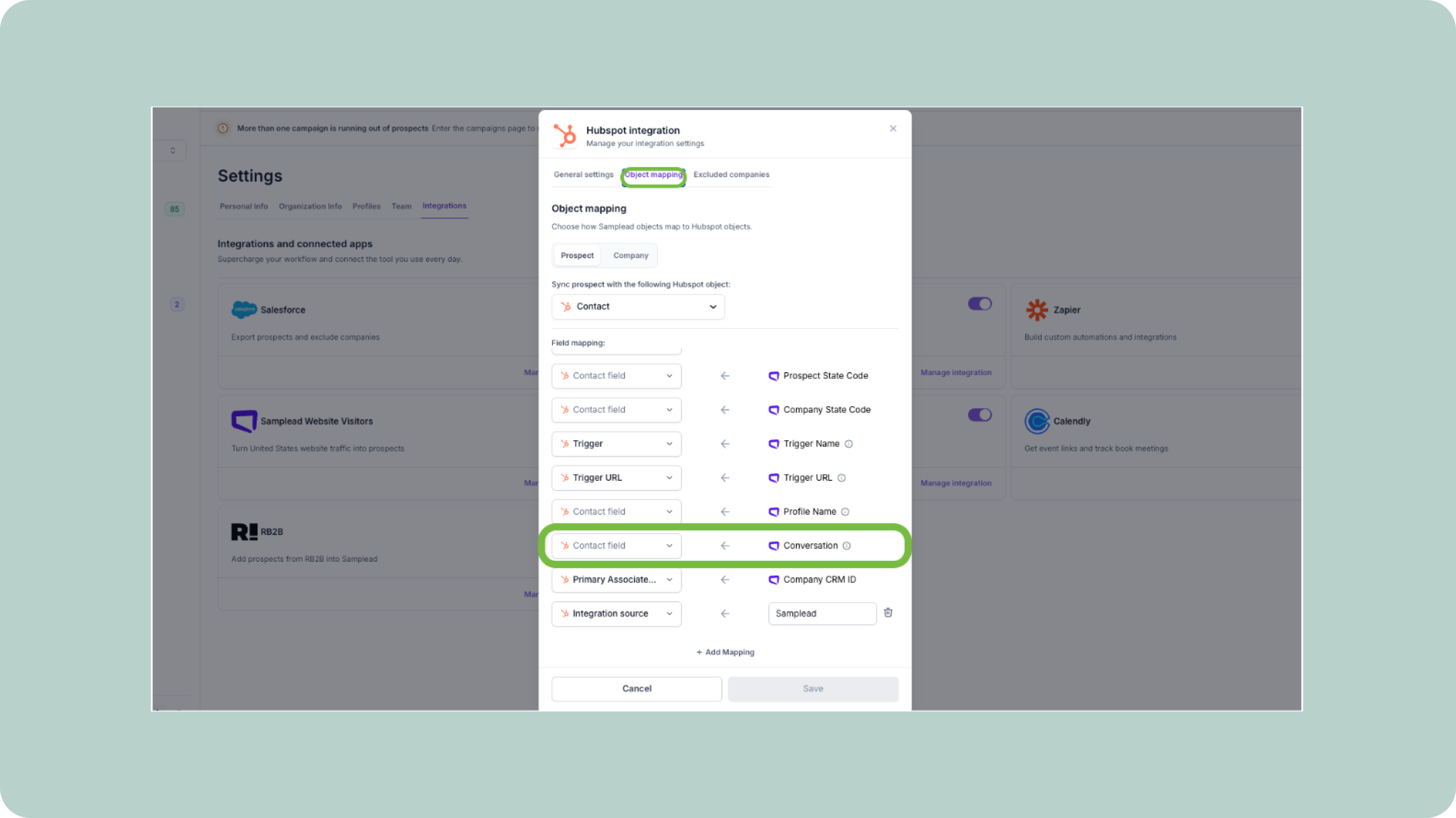
Export entire conversation to HubSpot and Salesforce
Keep your CRM fully context-rich with automatic conversation exports from Spear. Our native integrations with HubSpot and Salesforce now support full chat transcript syncing, so every conversation with a prospect is automatically pushed into your CRM in real time. This means no more missing context or fragmented notes. Every "let's book a time" and "sounds interesting" is captured exactly as it happened, giving your entire sales team a complete, shared view of the deal narrative directly inside your CRM.
.png)
Job Post Trigger
Turn active hiring signals into pipeline with the new Job Post Trigger. You can now automatically identify companies that are currently hiring for roles aligned with your ICP and route those prospects directly into your campaigns. With targeted job title and keyword filtering, you can pinpoint exactly the roles that signal buying intent. For the first time, you can also map each trigger to a specific campaign, ensuring every signal feeds the right sequence. Add the freshness filter to focus on jobs posted within the last 1–6 months so you're reaching companies while demand is still active and urgent.
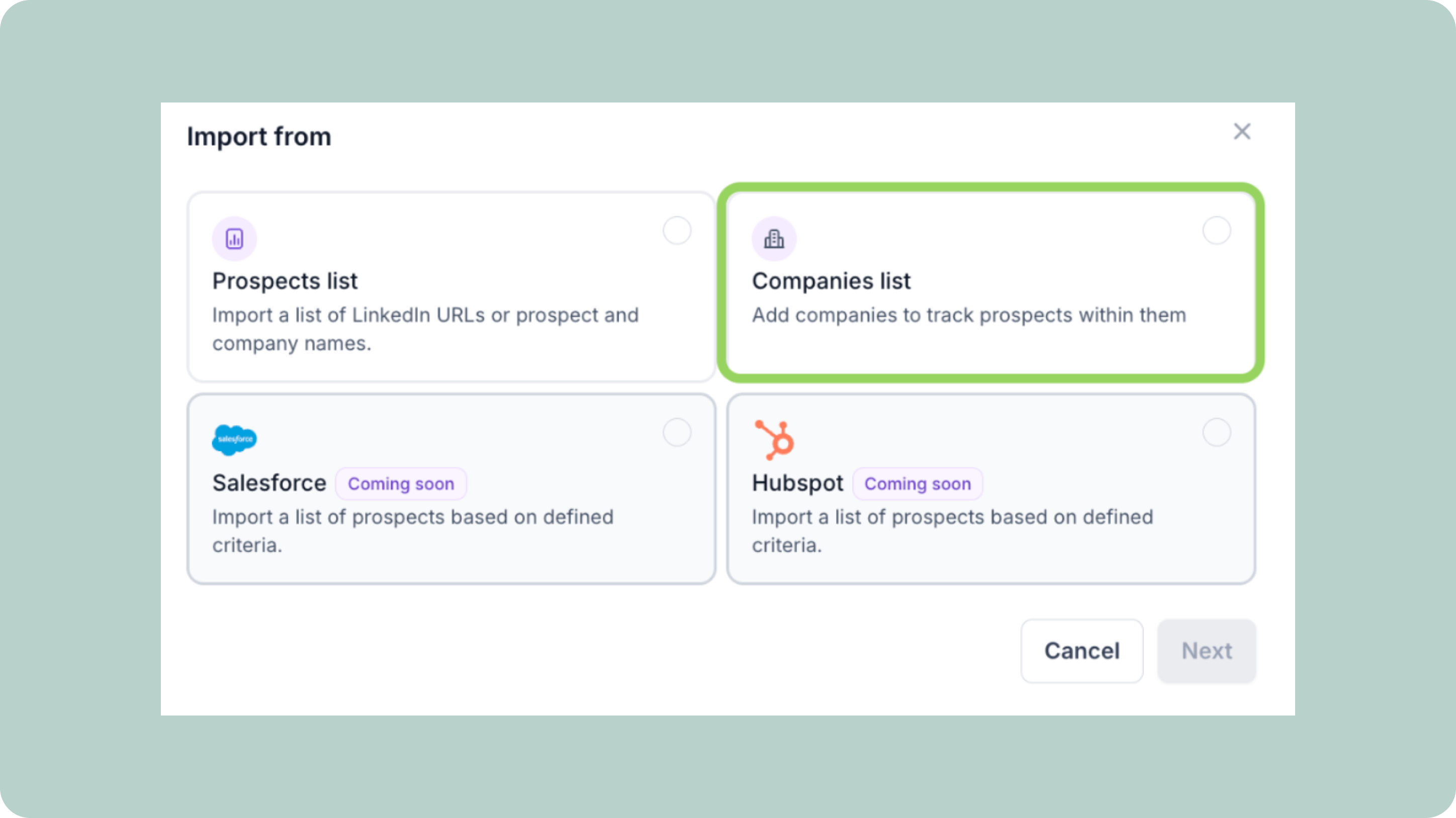
Company Domain List Upload
Keep your highest-priority accounts moving through your pipeline instantly with Company Domain Lists. You can now upload a custom list of company domains directly into Spear and start monitoring and prospecting them across multiple campaigns – no manual filtering required. This lets you bypass standard company-level constraints and ensure your most important accounts are always included in outreach, no matter how specific or broad your targeting needs are. Perfect for conference lists, event attendees, or curated target account sets – just upload, distribute, and activate.
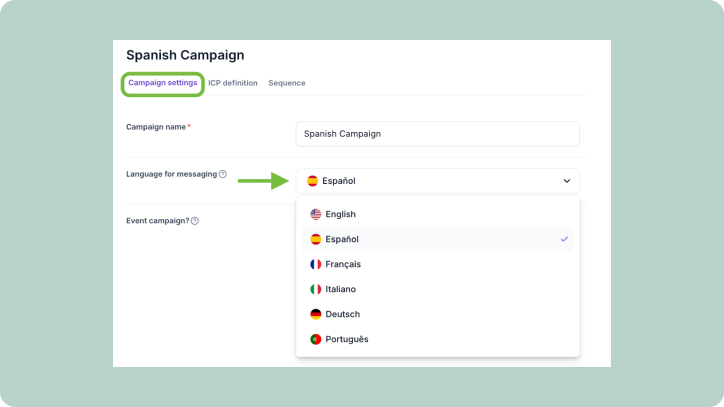
Multilingual Campaigns
Make your outreach feel local, no matter where your prospects are with multilingual campaigns. You can now select a language per campaign and automatically communicate in your prospect's native language, removing friction and building trust from the very first touchpoint. Spear now supports English, German, French, Spanish, Portuguese, and Italian, with more languages coming soon. From initial tailored messages to trigger-based connection flows, every step of your sequence can now run in the language your prospects actually speak.
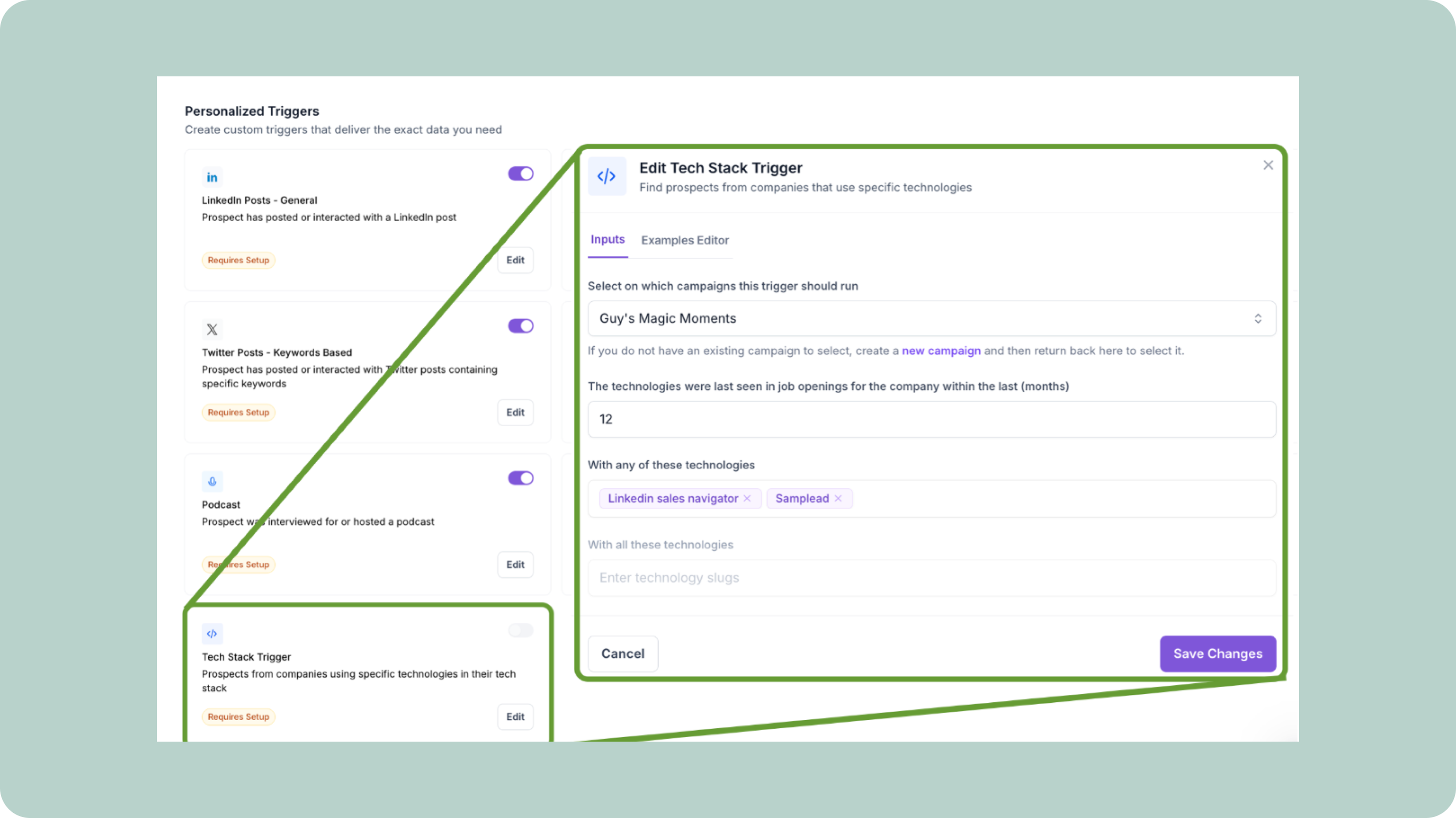
Tech Stack Trigger
Qualify prospects with more precision using the new Tech Stack Trigger. Instead of relying only on industry or company size, you can now target companies based on the actual technologies they use and route those high-fit prospects directly into your campaigns. This means you're no longer guessing fit, you're identifying it from their real stack and engaging companies that already match your ideal environment.
Home Page Task Widget
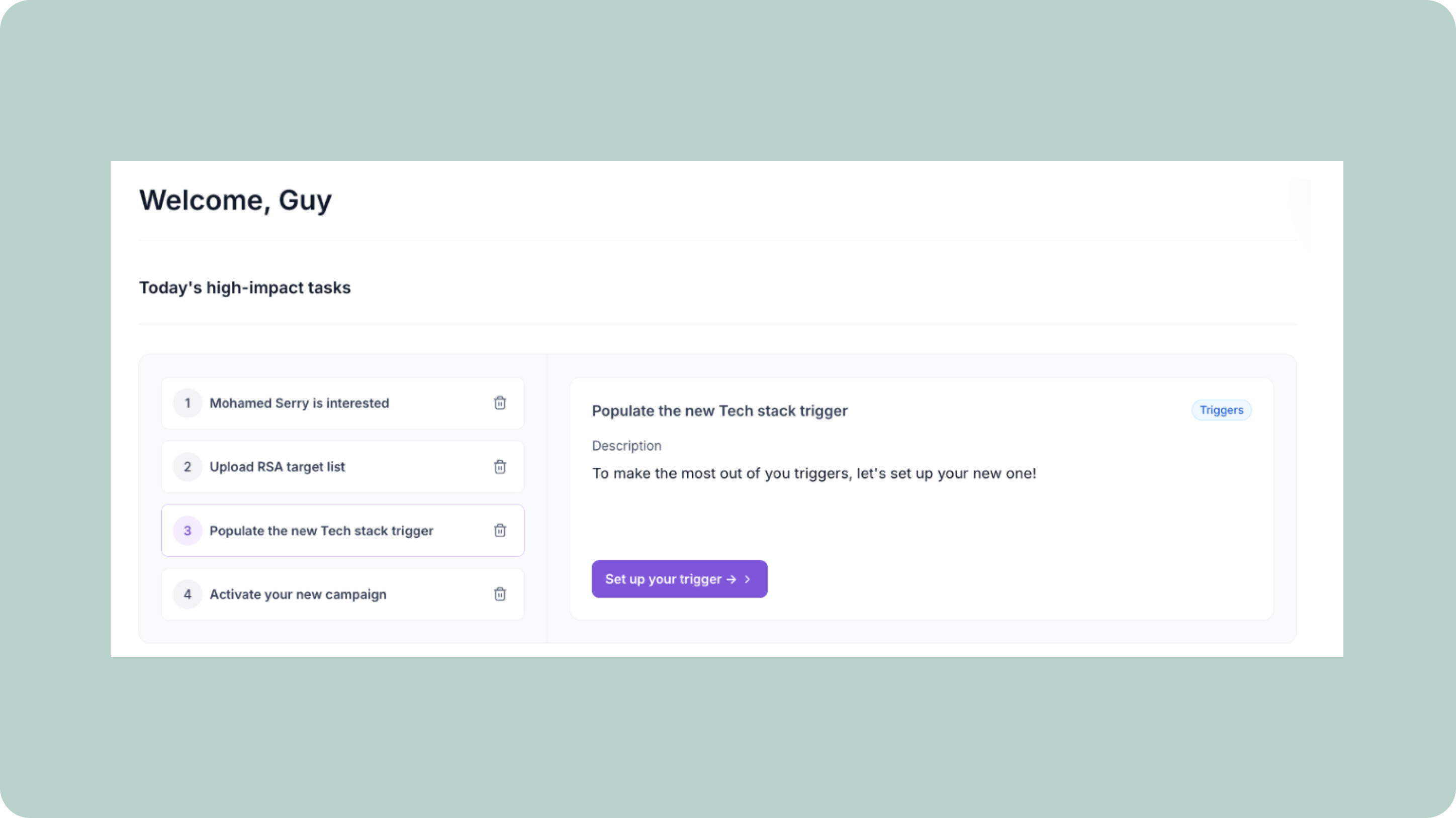
Keep your pipeline moving with the new Home Page Task Widget. Instead of digging through campaigns to figure out what needs attention, Spear now surfaces a clear daily list of actions based on your campaign activity, so you always know exactly who to follow up with, who's ready to book, and who needs a nudge to close. From hot prospects to quiet follow-ups, everything you need to act on today is organized in one place. Visit your home page to see today's tasks, work through your list, and optionally connect Slack to get real-time notifications the moment a new task appears.
.png)
LinkedIn Sales Navigator Campaigns
Keep your campaigns continuously up to date with LinkedIn Sales Navigator Campaigns. Instead of rebuilding audiences or manually scraping lists, simply connect your existing LinkedIn Sales Navigator search directly to a Spear campaign. Your prospect pool stays fresh automatically: whenever new people match your search, they're pulled into your campaign in real time. One search, always evolving. To set it up, open any campaign, go to Campaign Settings, select LinkedIn Sales Navigator as your prospect source, paste your search URL, and launch.
.png)
MCP integration for ChatGPT and Claude
Run your entire outbound workflow without ever opening the dashboard with Spear's new MCP integration for ChatGPT and Claude. Use plain text to write campaigns, approve or reject prospects, adjust your ICP, upload lists, export data, and configure triggers—all directly from your AI assistant. The integration connects your Spear account to your chat, turning conversation into action so complex, multi-step workflows can be completed in a single thread. Now teams can move faster, make decisions on the go, and manage outbound entirely through AI without switching tools.
Website Visitors Integration
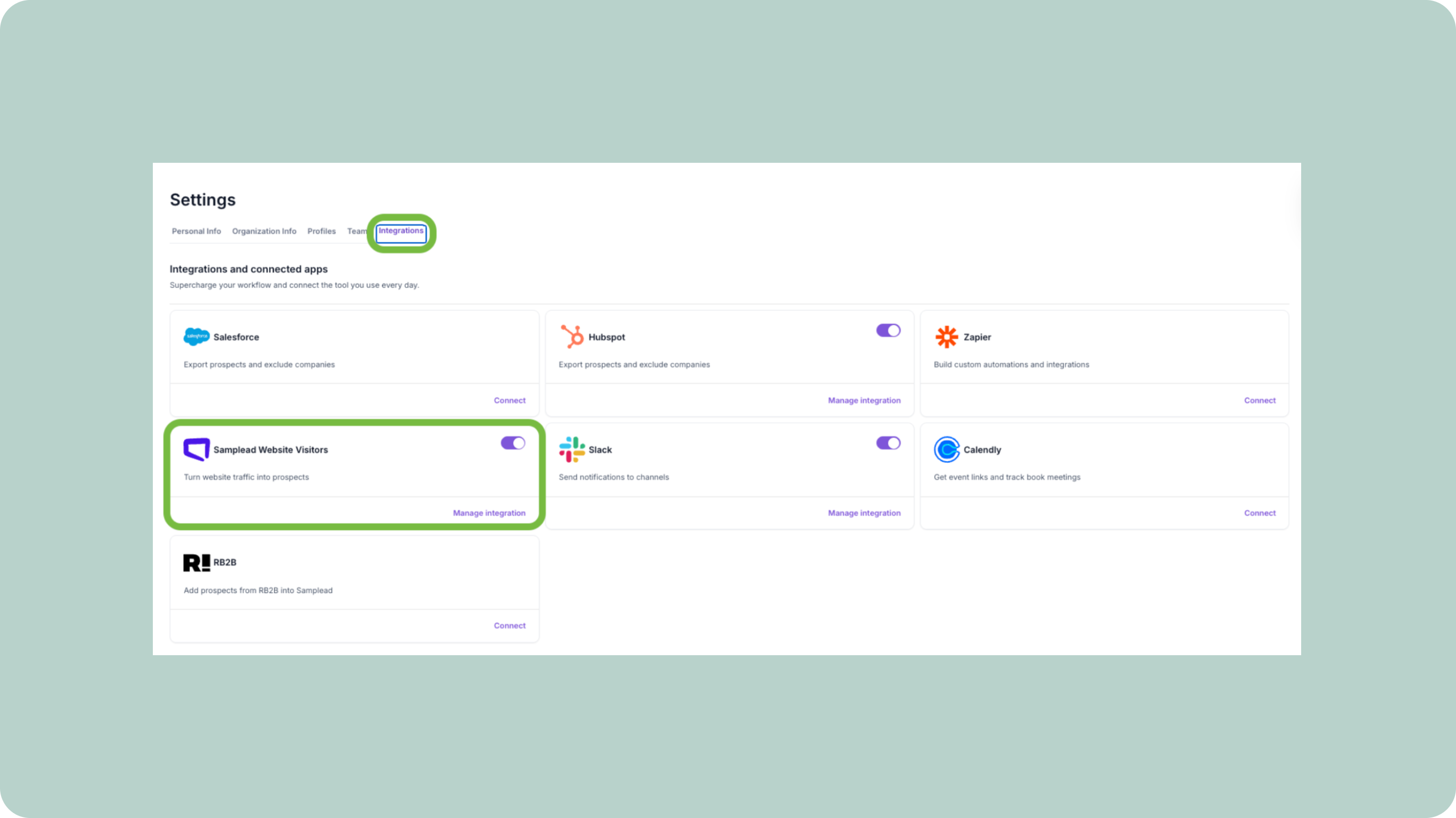
Turn anonymous website traffic into qualified pipeline with the Website Visitors Integration. Install a simple pixel to identify and de-anonymize high-intent visitors, then push enriched profiles directly into your workflow. Send every visitor to Slack for real-time visibility, or automatically filter them by your ICP and inject only the best-fit prospects into your outbound campaigns. Now every site visit becomes a clear, actionable opportunity—no more guessing who's behind the clicks.
.png)
Qualification Agent
Eliminate manual prospect qualification with our Qualification Agent. Define your rules once in plain text – covering company fit, seniority, tech signals, and role relevance – and let the agent evaluate every prospect in your suggestions feed across all campaigns automatically. Each prospect is clearly labeled as Agent Approved, Agent Denied, or No Recommendation, so reps can focus only on the right opportunities. Need more context? Hover over any agent tag to see exactly why a decision was made, giving your team confidence and consistency without the manual overhead.
New triggers: monitor any LinkedIn profile or company page
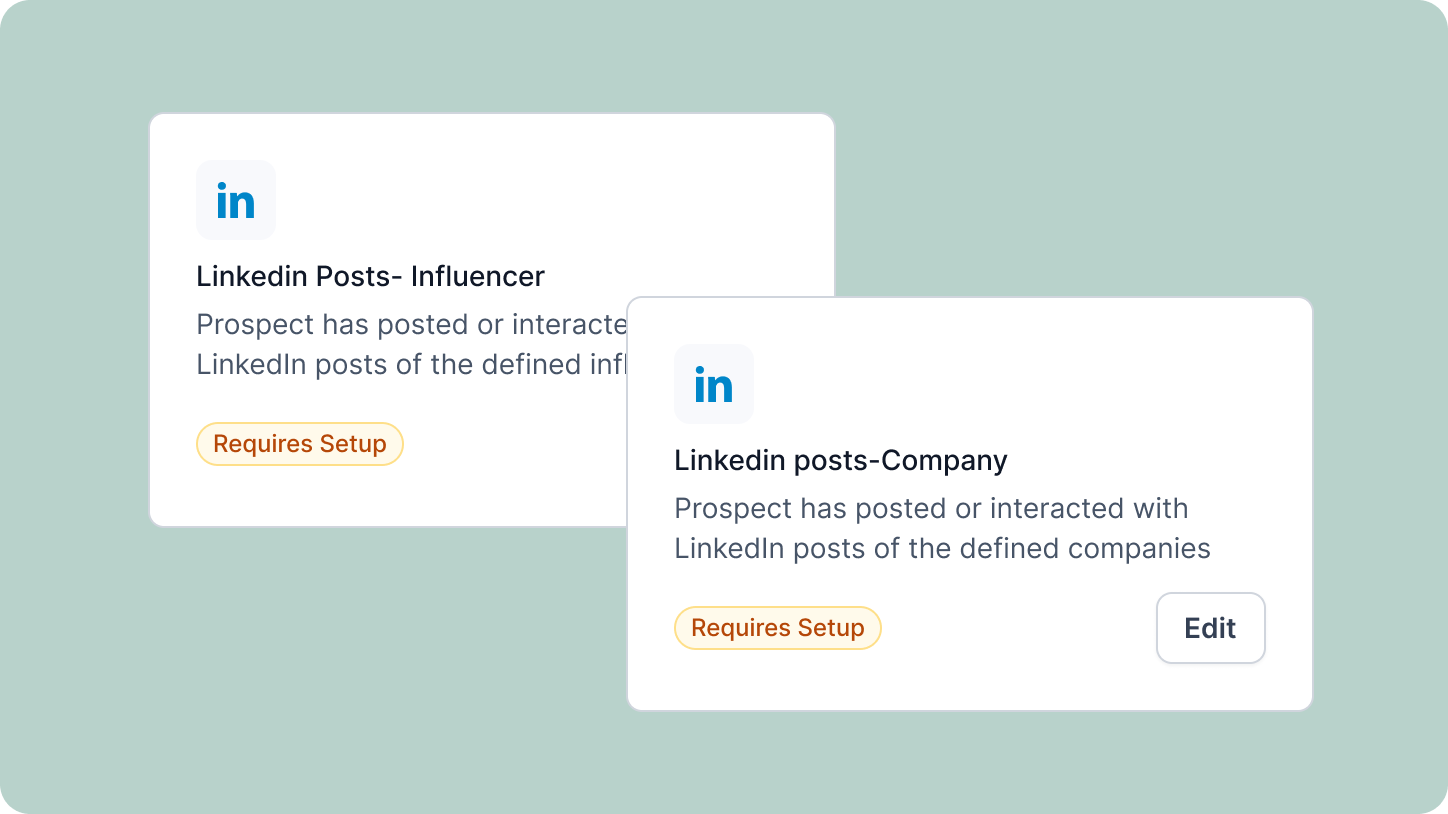
Expand your prospecting with new LinkedIn Post Triggers. Just paste any LinkedIn profile or company page URL, set your time window, and Spear will automatically monitor new posts, scrape engaged users, and match them to your ICP across campaigns. With two new LinkedIn Post triggers – ‘Influencer’ and ‘Company’ – you can turn real-time social engagement into qualified prospects directly from the Triggers tab, without any manual tracking.
Turn Triggers Into Pipeline
With Spear, companies leverage trigger-based outbound to craft a quality-driven GTM motion that actually books meetings.
.avif)
