
FAQ: A prospect replied — what do I do now?
 March 30, 2026
 5 min read
When a prospect replies or shows interest, Spear stops automation automatically — and now tells you exactly what to do next.
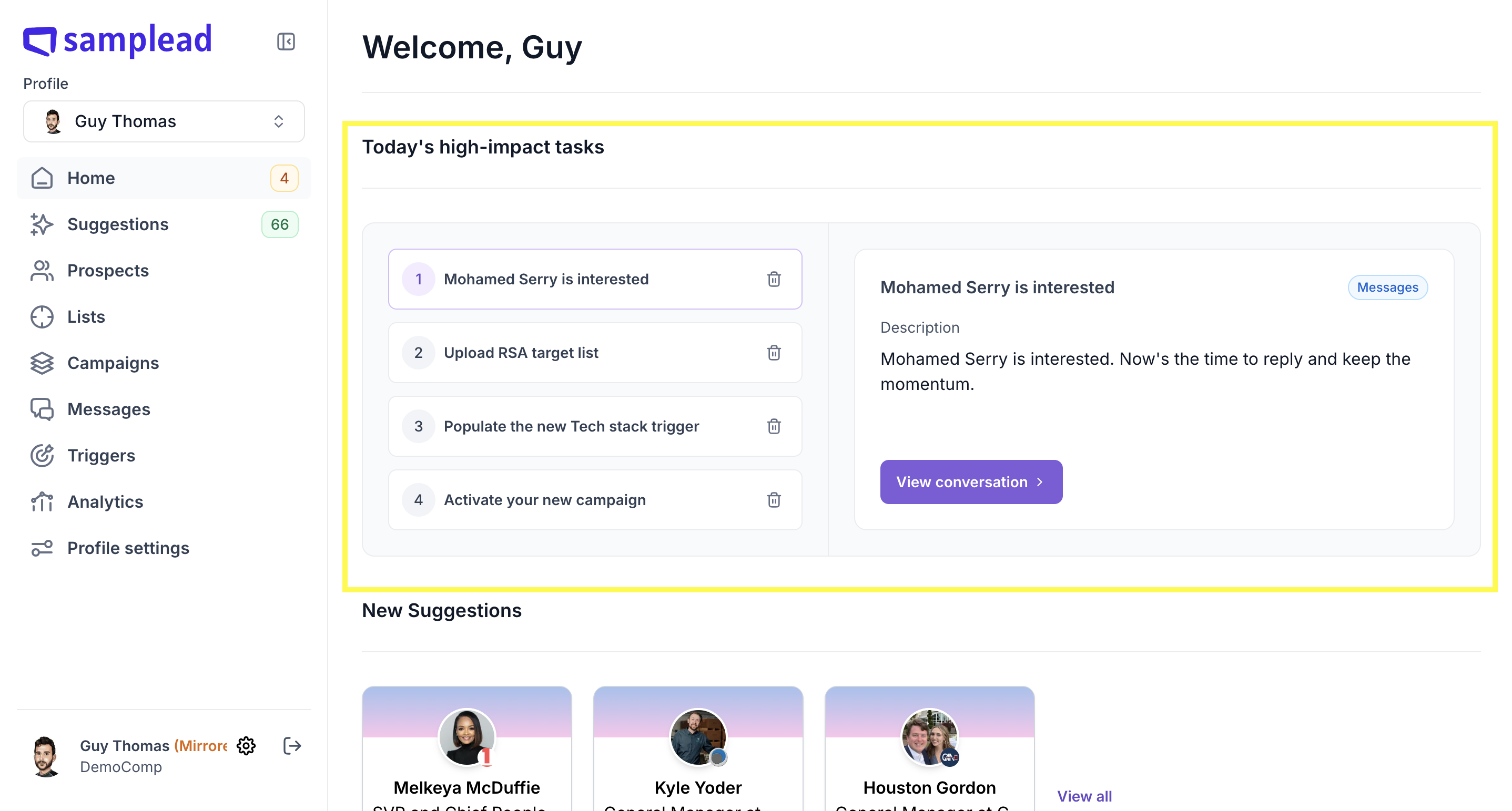
The Home Page Task Widget
Your Home Page now shows daily tasks for prospects that need your attention. Tasks are created automatically for:
- 📩 Contact information was shared
- ✅ The prospect is interested
- 🔔 The conversation is marked as follow up
If you have Slack connected, you'll get a ping when a new task appears.
How to reply once automation stops
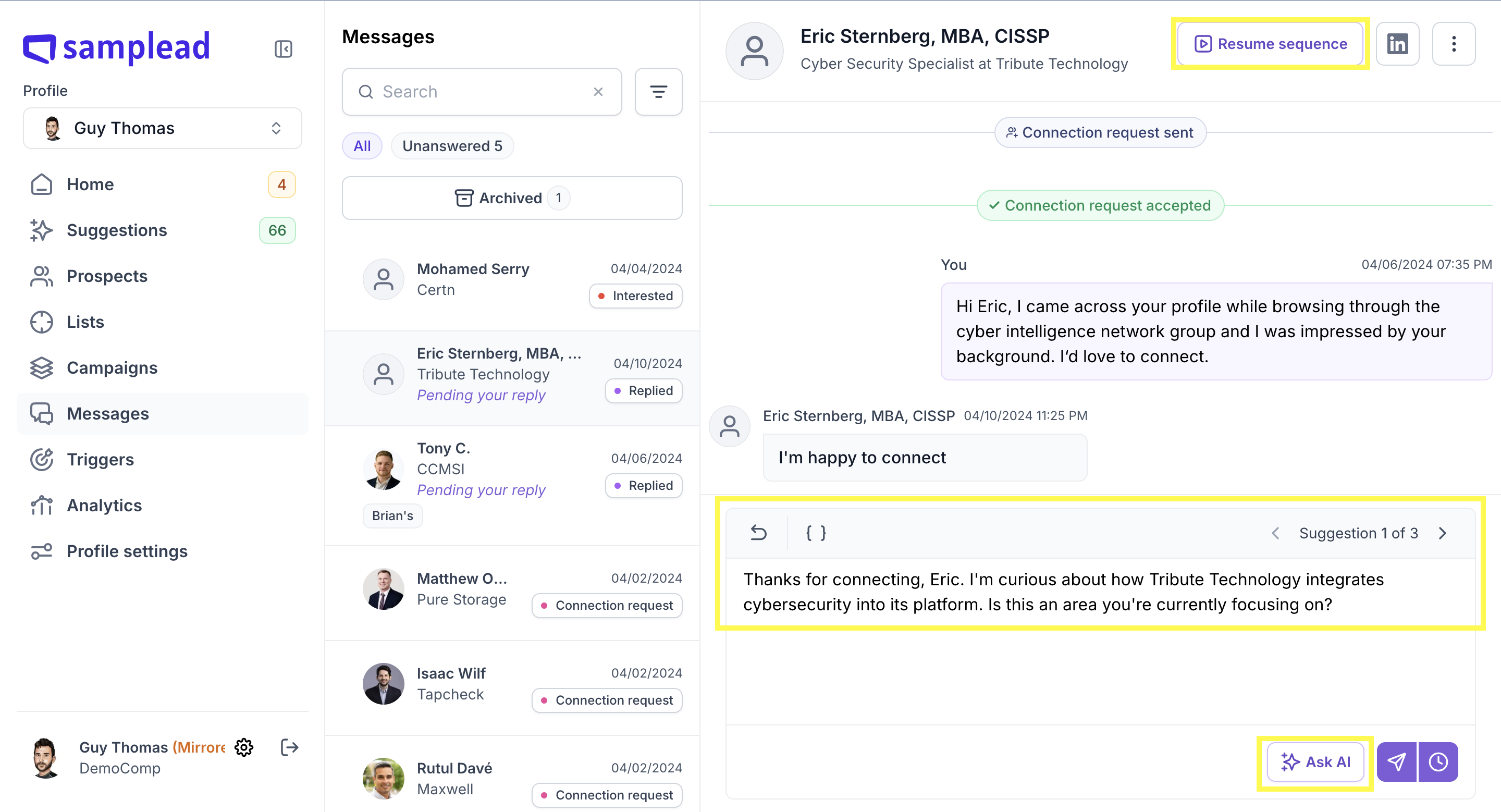
From the Inbox, you have three options:
- Reply manually — type and send directly
- AI suggested message — Spear suggests a contextual reply
- Resume sequence — sends the next message in the campaign (good for neutral replies like "thanks for connecting"
Want to move them into a new automated flow?
- Create an Existing Network campaign with your follow-up sequence
- Go to Prospects tab → find the prospect
- Click Move to campaign → select your new campaign
💡 Use the {calendar_link} placeholder in your messages. Once a prospect books, their status changes to Booked and all automation stops automatically.


.avif)
