Home>Knowledge Base>Product overview>How does the Qualification Agent work?

How does the Qualification Agent work?

Calendar icon marking the date this article was publishedApril 23, 2026
Clock icon marking how long this article takes to read5 min read

The Qualification Agent automatically reviews every prospect in your suggestions feed and recommends whether to approve or deny — based on rules you define in plain text.

Tags you'll see on each prospect card:

  • Agent Approved — recommends approving
  • Agent Denied — recommends denying
  • No recommendation — no rules set yet

💡 Hover over the tag to see exactly why each decision was made.

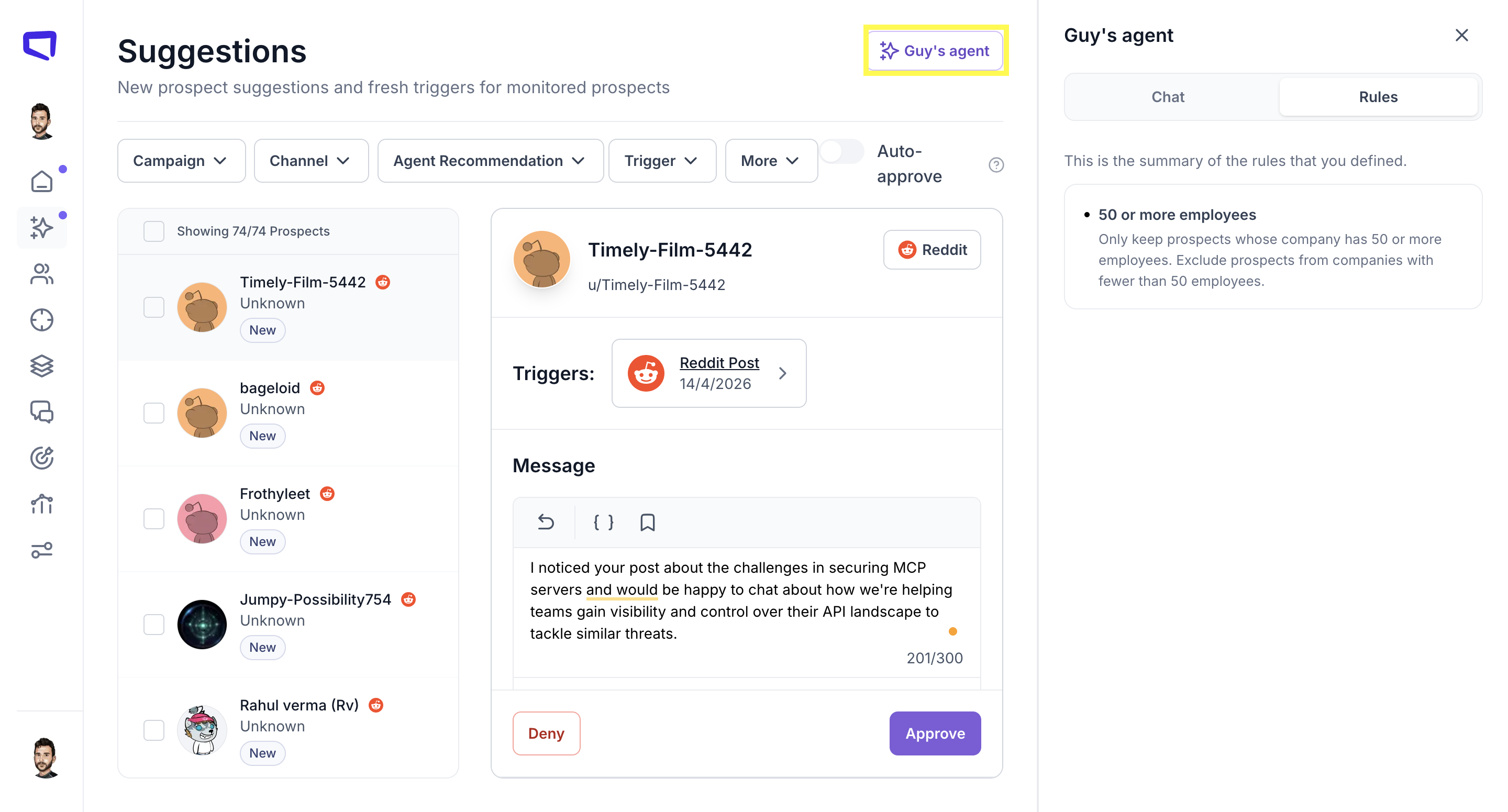
To get started:

  1. Go to your Suggestions page
  2. Click "Agent" in the top right
  3. Write your rules in plain text — as specific or broad as you like
  4. Click Approve
Spear Suggestions page with the agent panel open on the Rules tab, showing a rule that keeps only prospects at companies with 50 or more employees

🔄 Type recalc in the agent chat anytime to re-evaluate all prospects instantly.

Sign up for Updates

Get the playbook on outbound that actually converts.

We care about data. Check out our privacy policy.

Thank you!
Your submission has been received!
Oops! Something went wrong while submitting the form.
Line illustration of a spear on a coral background, beside the newsletter signup

Turn Triggers Into Pipeline

With Spear, companies leverage trigger-based outbound to craft a quality-driven GTM motion that actually books meetings.

Illustration of a person holding a spear on a hilltop path at sunriseIllustration of a person holding a spear on a hilltop path at sunrise