
Understanding 'Booked' prospect status
 May 12, 2026
 5 min read
This article explains how Spear determines whether a prospect has scheduled a meeting.
Prospects are scheduled as 'Booked' if:
1 - A meeting booking link has been integrated with Spear
For example, Calendly - we automatically detect when a prospect uses it to schedule a meeting.
We recommend connecting your meeting booking link to Spear to optimize data accuracy.
Click here to find out how to do this
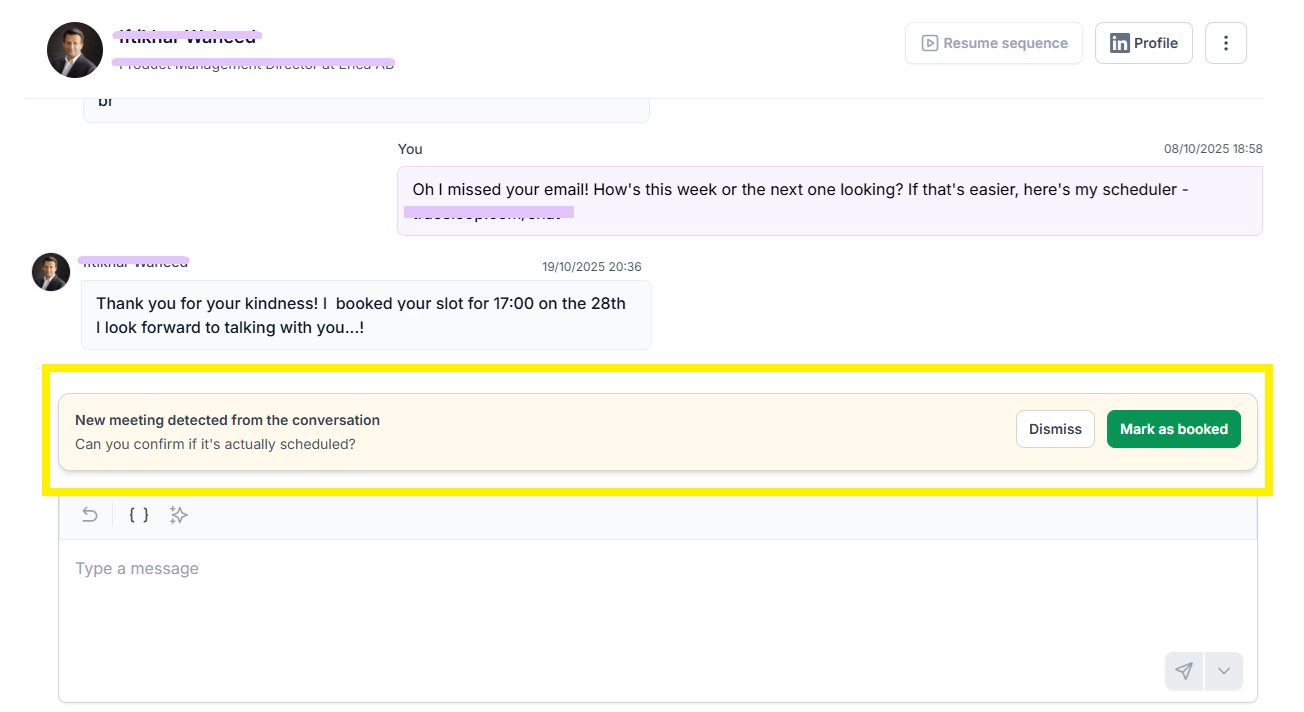
2 - If the meeting bookling link integration is not connected, Spear can analyze the conversation history. If it detects that a meeting likely took place, a confirmation pop-up will appear asking you to verify.
Once confirmed, the prospect’s status updates to 'Booked'.
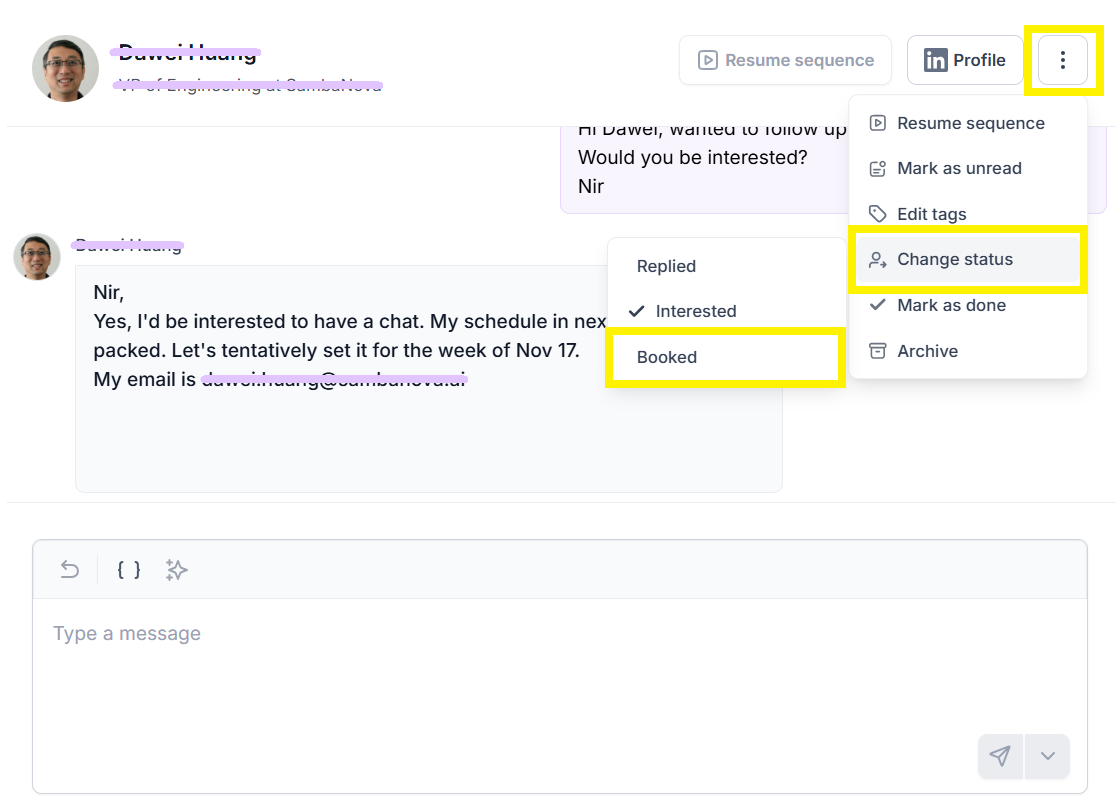
3 - If the prospect's status has been changed manually
This is usually relevant if a meeting has been scheduled outside of Spear, for example via email.


.avif)
