
Can I move a prospect to a different campaign? When and how?
 May 12, 2026
 5 min read
Yes — but it depends on the prospect's current status.
Rules by status
Prospect StatusCan move?Where to?In Queue✅ YesAny active New Prospects campaignConnection Request❌ NoMust wait until they acceptConnected✅ YesExisting Network campaign only
How to move a prospect
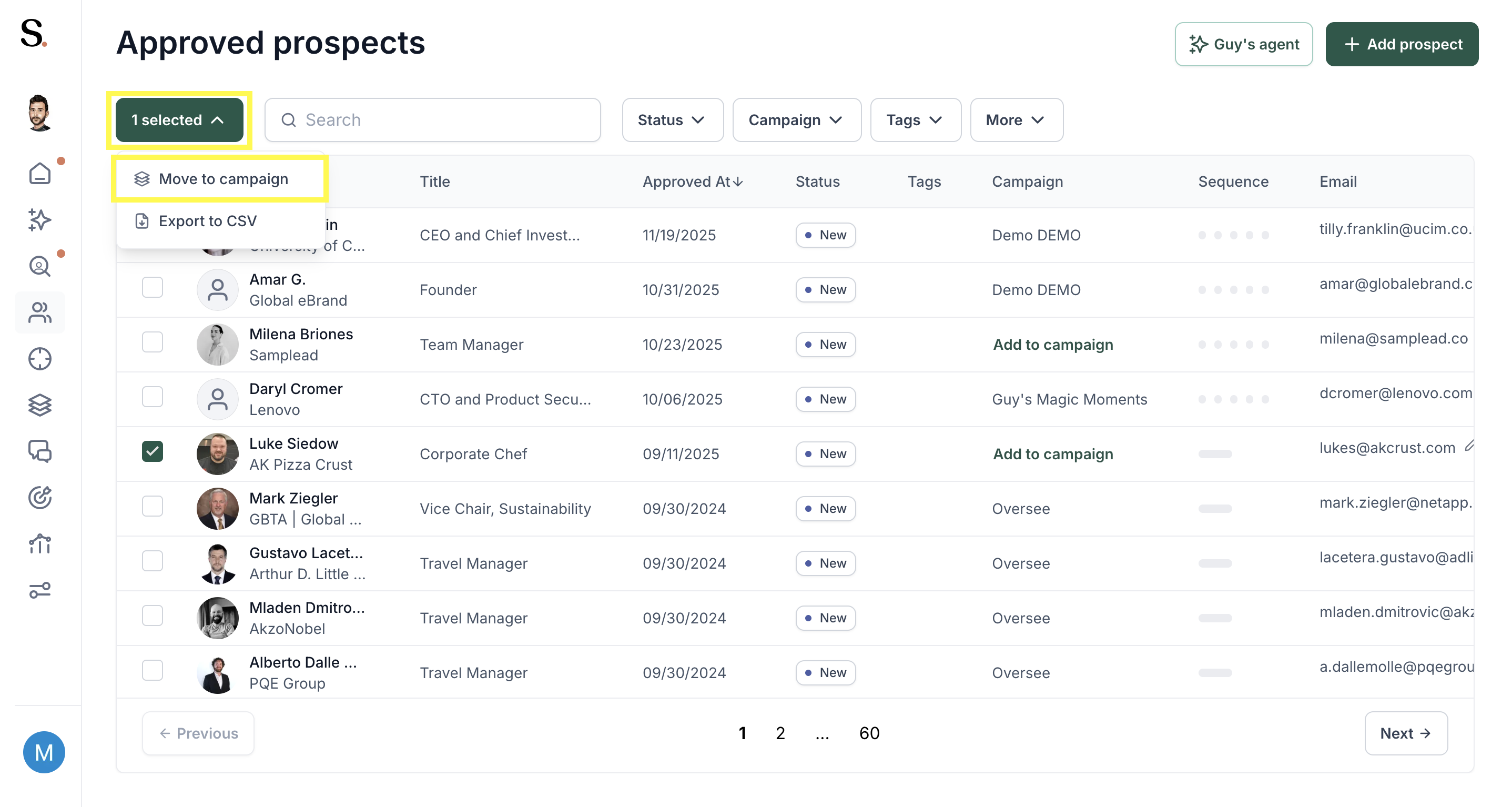
- Go to the Prospects tab
- Find the prospect and select them using the checkbox
- Click Move to campaign
- Choose the destination campaign
💡 Moving from a Custom campaign to a Tailored one? When you do this, the system logic resets. Tailored campaigns generate messages based on specific signals (LinkedIn posts, news, etc.), so the system needs to find a fresh activity for the prospect in the new campaign. The best way to handle this is to set the prospect to Monitored status. This puts them in a "waiting room" where the AI continuously scans for a new, high-quality trigger — and automatically generates the message once one is detected.


.avif)
