Home>Knowledge Base>Product overview>Funnel Statuses: Where can I see them? (MA)

Funnel Statuses: Where can I see them? (MA)

May 12, 2026
5 min read

1. Open the Dashboard

2. Select the "Prospects" tab.

3. Select Status within the Approved Prospects view.

4. A menu with the available status options will appear.
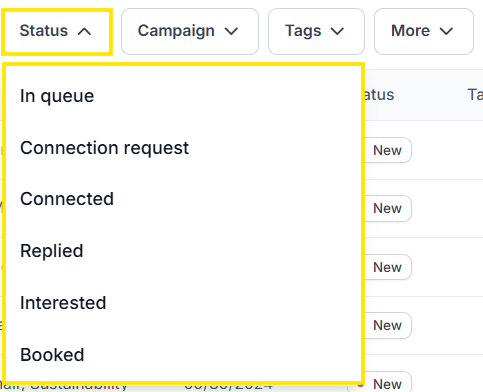
5. Select any status to filter prospects by that stage.

6. The dashboard will display all prospects currently assigned to that status.

Sign up for Updates

Get the playbook on outbound that actually converts.

We care about data. Check out our privacy policy.

Thank you!
Your submission has been received!
Oops! Something went wrong while submitting the form.

Turn Triggers Into Pipeline

With Spear, companies leverage trigger-based outbound to craft a quality-driven GTM motion that actually books meetings.
