Home>Knowledge Base>Campaigns>How to activate and deactivate a campaign

How to activate and deactivate a campaign

Calendar icon marking the date this article was publishedMay 12, 2026
Clock icon marking how long this article takes to read5 min read

How to activate and deactivate a campaign?

You can activate or deactivate campaigns directly from the Dashboard.
This helps teams manage which campaigns are running or paused—without deleting data or losing progress.

Step 1: Open the Dashboard.
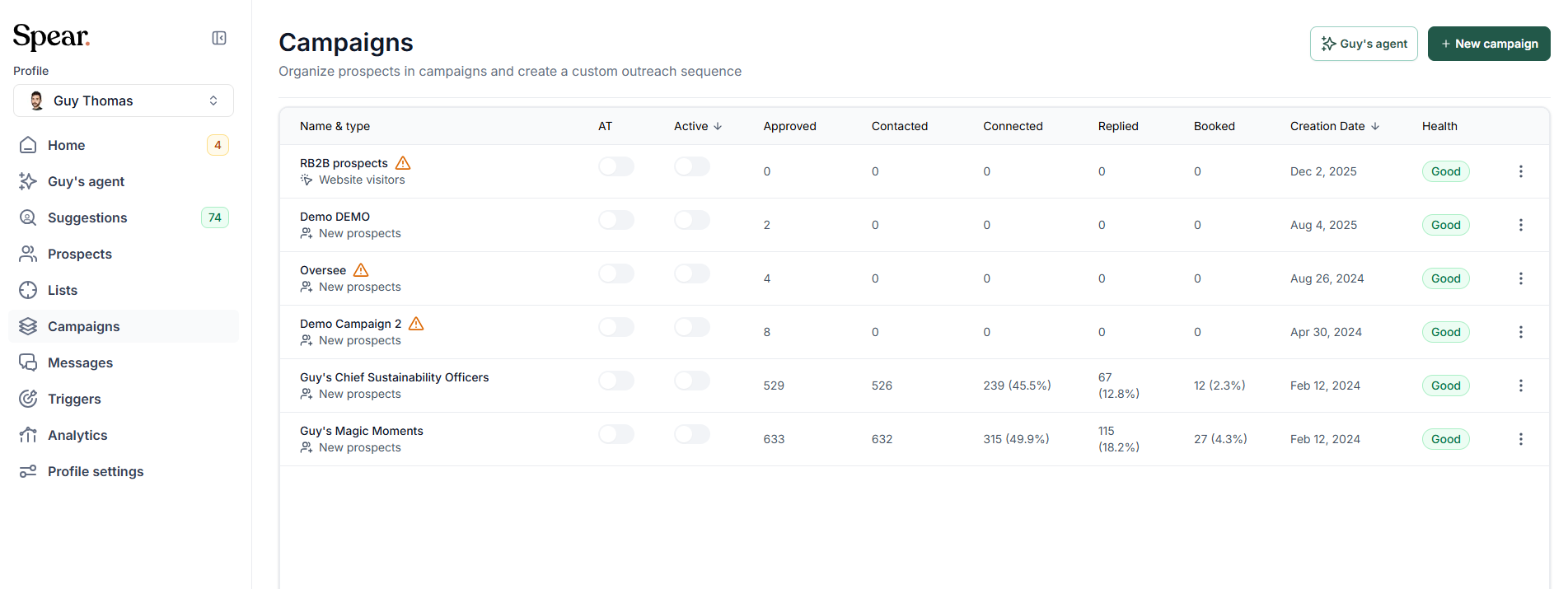
Campaigns list showing every campaign with its counts, creation date and health status

Step 2: Go to the Campaigns tab.
You’ll see a toggle next to each campaign that lets you activate or deactivate it.

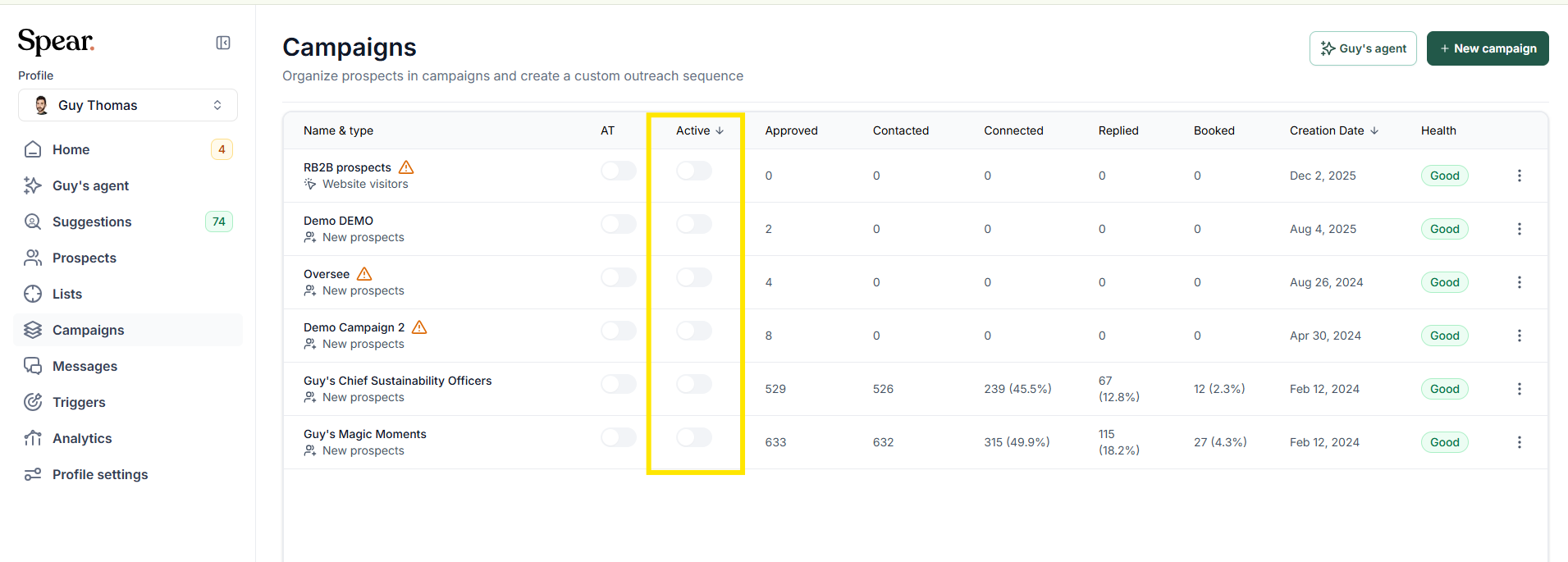
Spear sidebar with the Campaigns item highlighted, beside the campaigns list
Campaigns list with the whole Active toggle column highlighted

Step 3: Switch the toggle ON or OFF

Turn the toggle on to activate the campaign, or off to deactivate it.
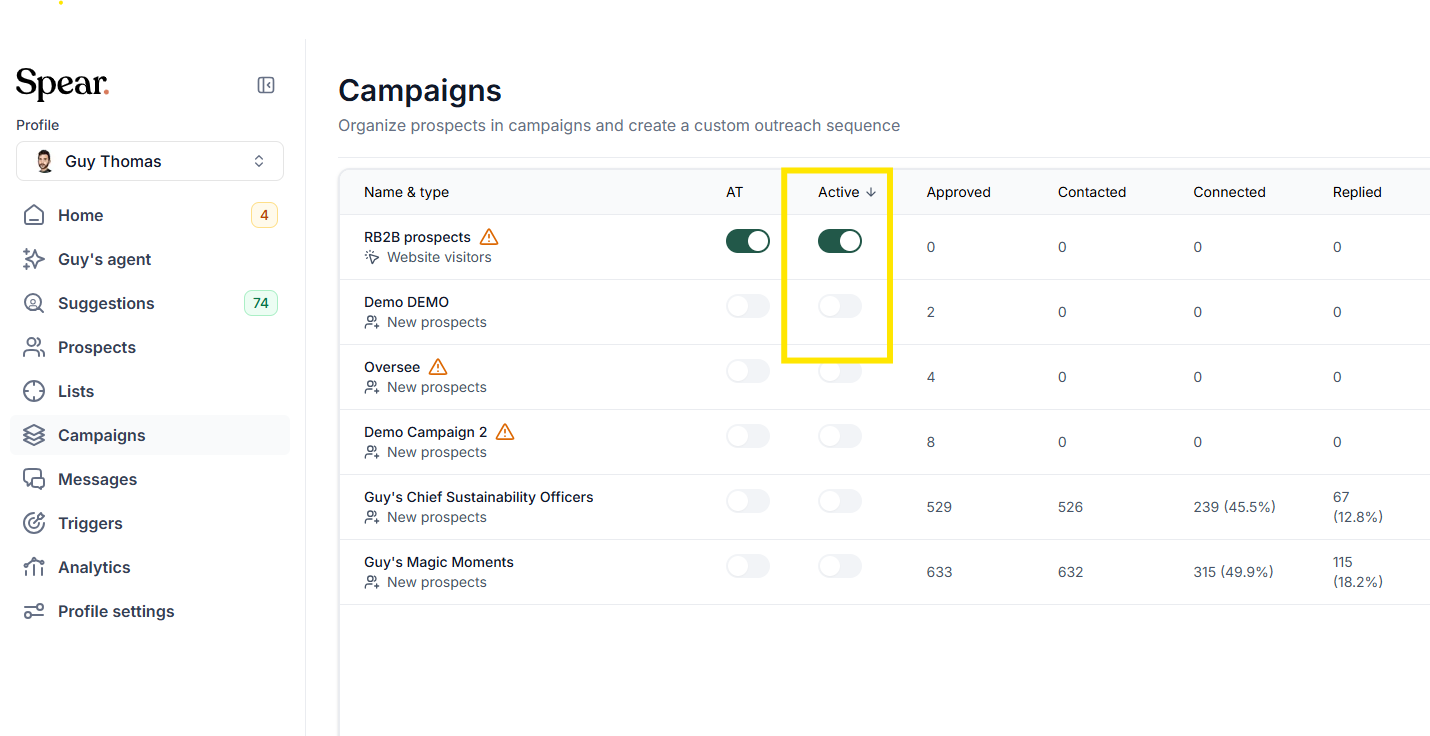
Campaigns list with the Active toggle of the website visitors campaign switched on and highlighted
Campaigns list with the Active toggle of one campaign highlighted

What happens when you deactivate a campaign?

If the campaign still has prospects in the queue, a confirmation message appears:

Move "In queue" prospects?
Would you like to move "In queue" prospects to another campaign? Connection requests will follow the sequence of the selected campaign.

This means:

  • If you move them, those prospects will continue in a different campaign with that campaign’s steps.
  • If you keep them, they will remain in the current (paused) campaign until you reactivate it.
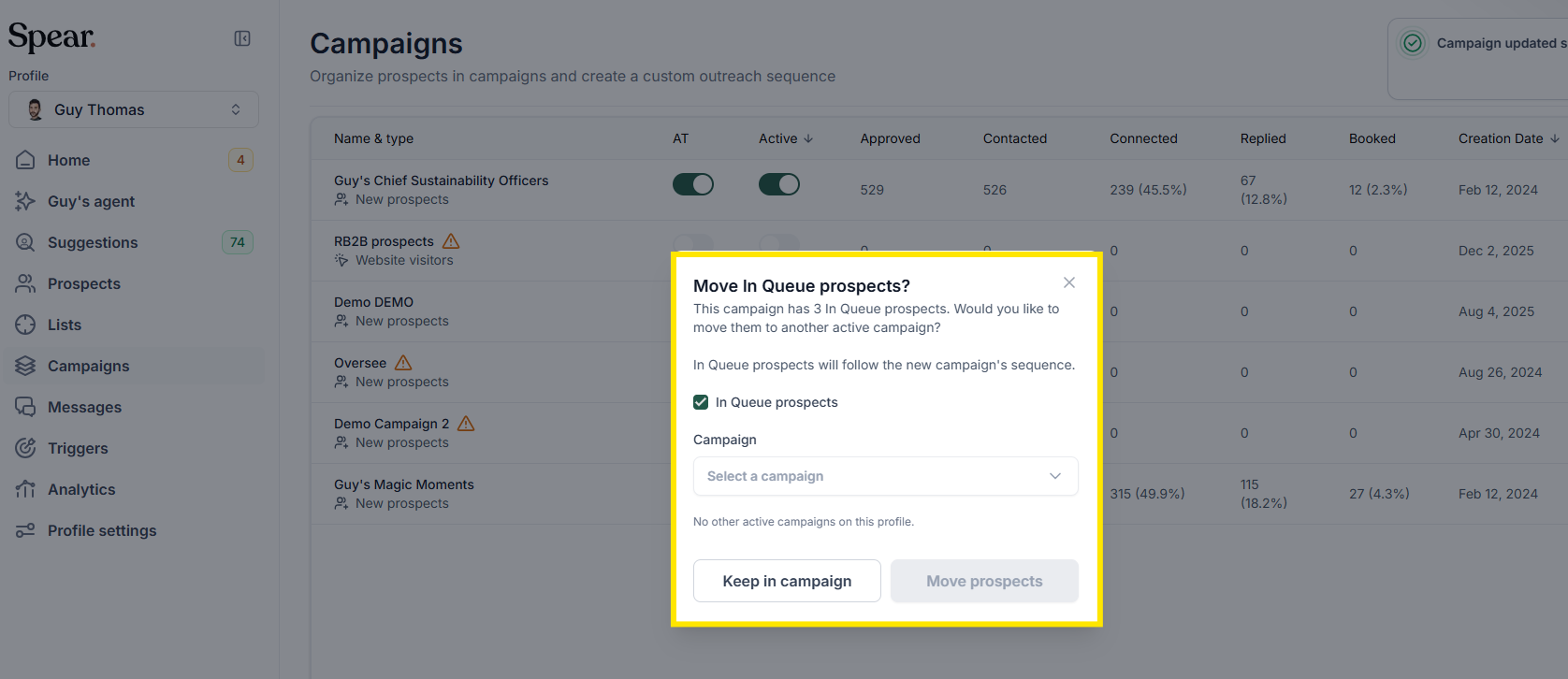
Move in queue prospects dialog asking whether to move three queued prospects to another active campaign

If you want to move them: Select the destination campaign and click Move prospects.
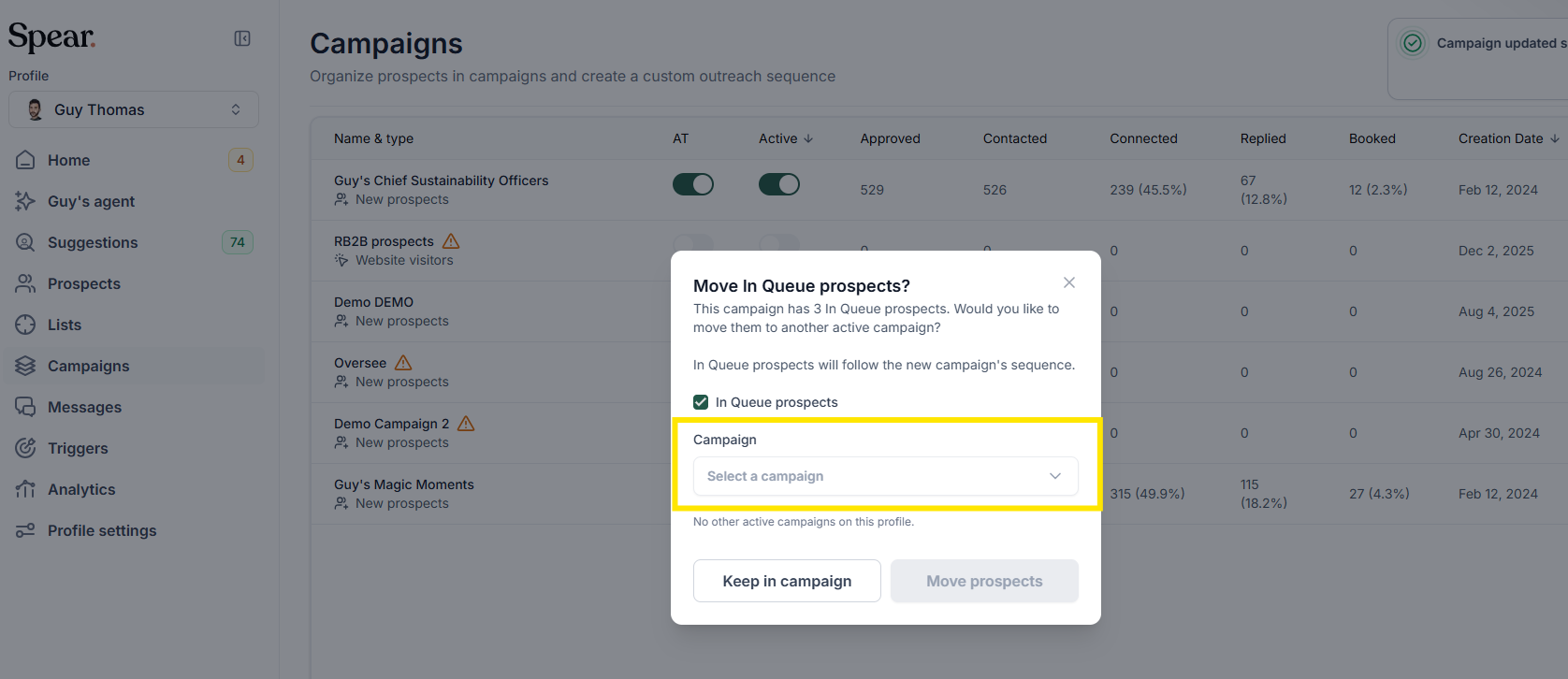
Move in queue prospects dialog with the campaign selector highlighted
Move in queue prospects dialog with the Move prospects button highlighted

If you want to keep them: Click Keep in this campaign.

Move in queue prospects dialog with the Keep in campaign button highlighted

Final Note

Deactivating a campaign doesn’t delete any data, but it may affect how prospects progress through your workflows. Always review queued prospects before making changes to ensure they continue in the campaign that best fits your outreach strategy.

Sign up for Updates

Get the playbook on outbound that actually converts.

We care about data. Check out our privacy policy.

Thank you!
Your submission has been received!
Oops! Something went wrong while submitting the form.
Line illustration of a spear on a coral background, beside the newsletter signup

Turn Triggers Into Pipeline

With Spear, companies leverage trigger-based outbound to craft a quality-driven GTM motion that actually books meetings.

Illustration of a person holding a spear on a hilltop path at sunriseIllustration of a person holding a spear on a hilltop path at sunrise