
How to download your connections list and upload it to Samplead
 May 12, 2026
 5 min read
Spear needs to know who not to reach out to because you are already connected to them on The Outreach Platform.
This guide will explain how to download your connections list (ie, everyone you are already connected to) and how to upload it to Spear.
Step 1: Log into Your Account on The Outreach Platform
Step 2: Click on 'Me', top right, and navigate to 'Settings & Privacy'

Step 3: In Settings, click on the 'Data privacy' tab on the left side
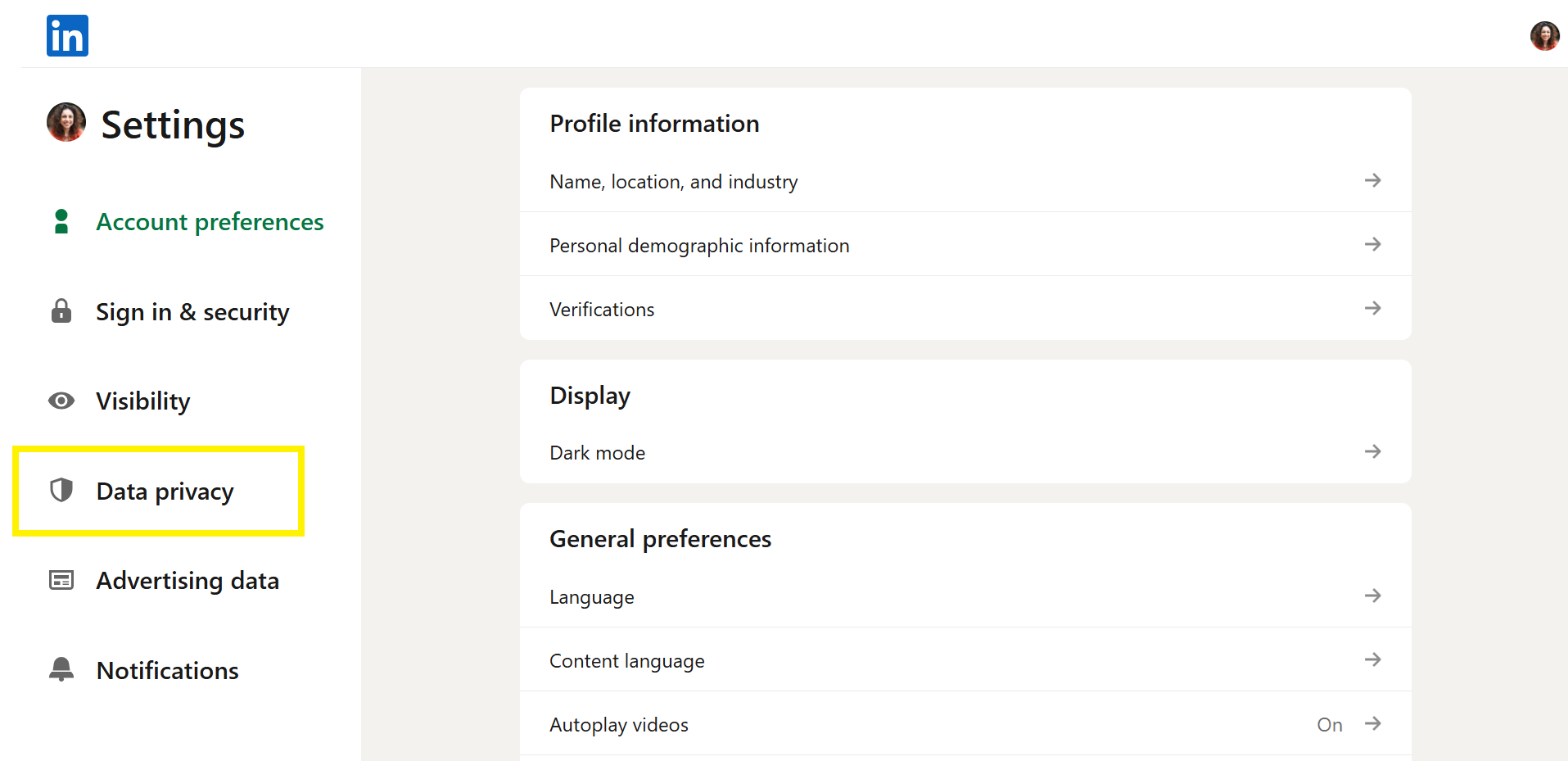
Step 4: Click on 'Get a copy of your data'

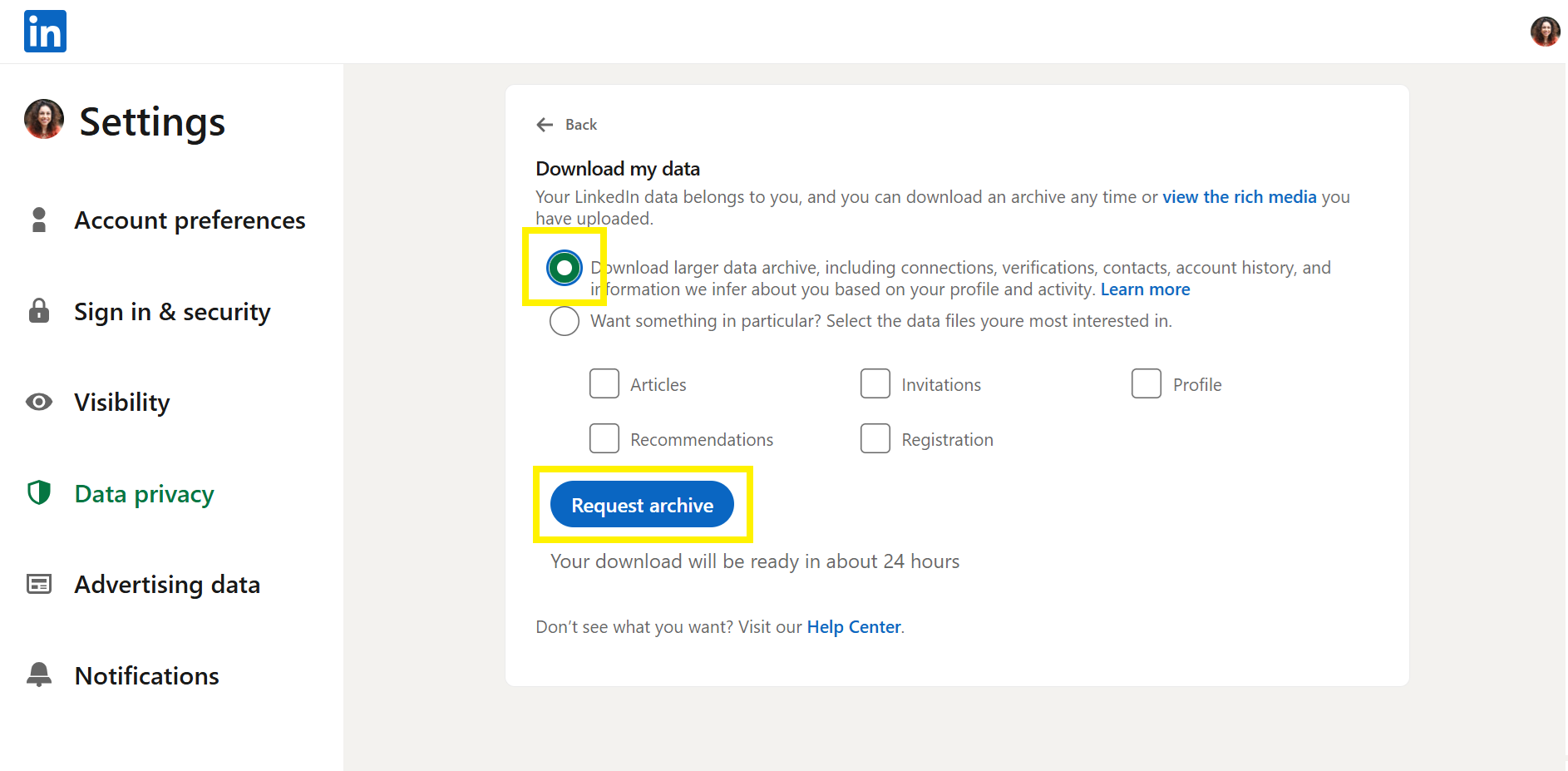
Step 5: Click on the first option - 'Download larger data archive, including connections, verifications, contacts, account history, and information we infer about you based on your profile and activity' And click on 'Request archive'
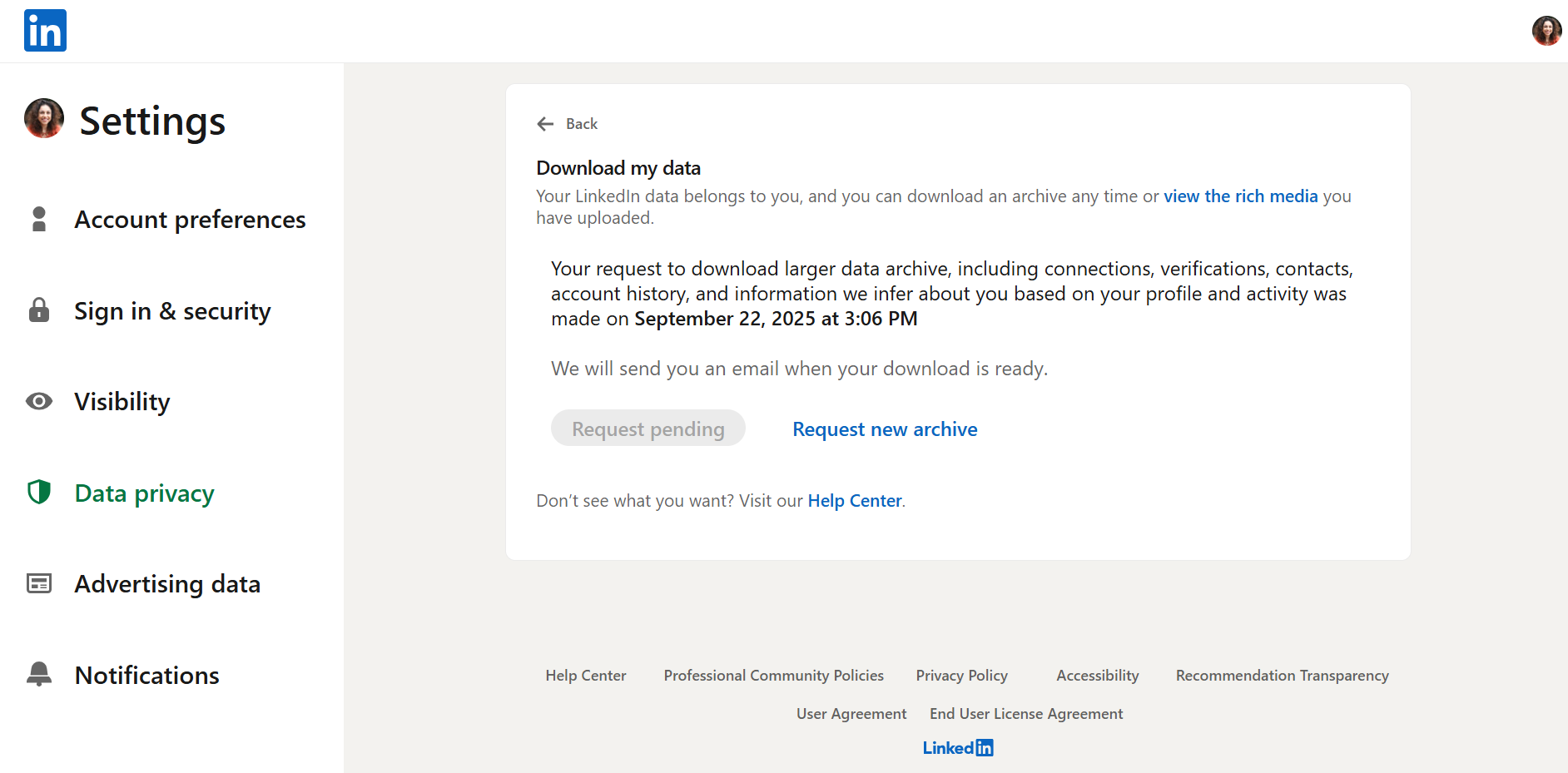
When you request an archive, the file will be delivered in two parts:
- Part 1 arrives quickly
- Part 2 takes up to 24 hours to arrive
You will receive an email notification for each. The file you need, 'Connections', is included in Part 2. Once the file becomes available, you’ll have 72 hours to access it before it expires
This is what the Part 2 email looks like:

Step 6:
Download your data
You will receive a ZIP file containing multiple files, one of which is titled 'Connections'
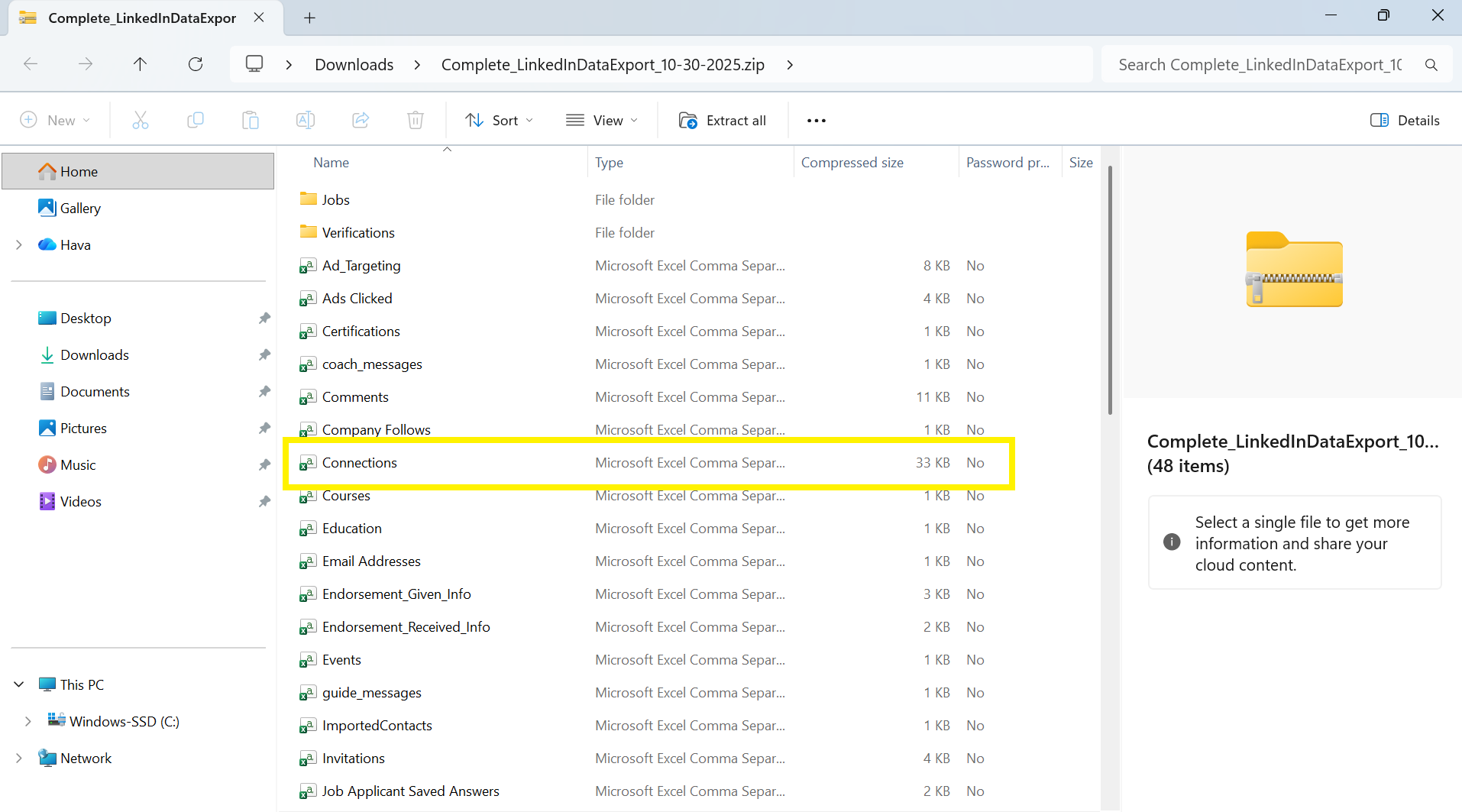
The output will be a CSV of everyone you are connected to on The Outreach Platform
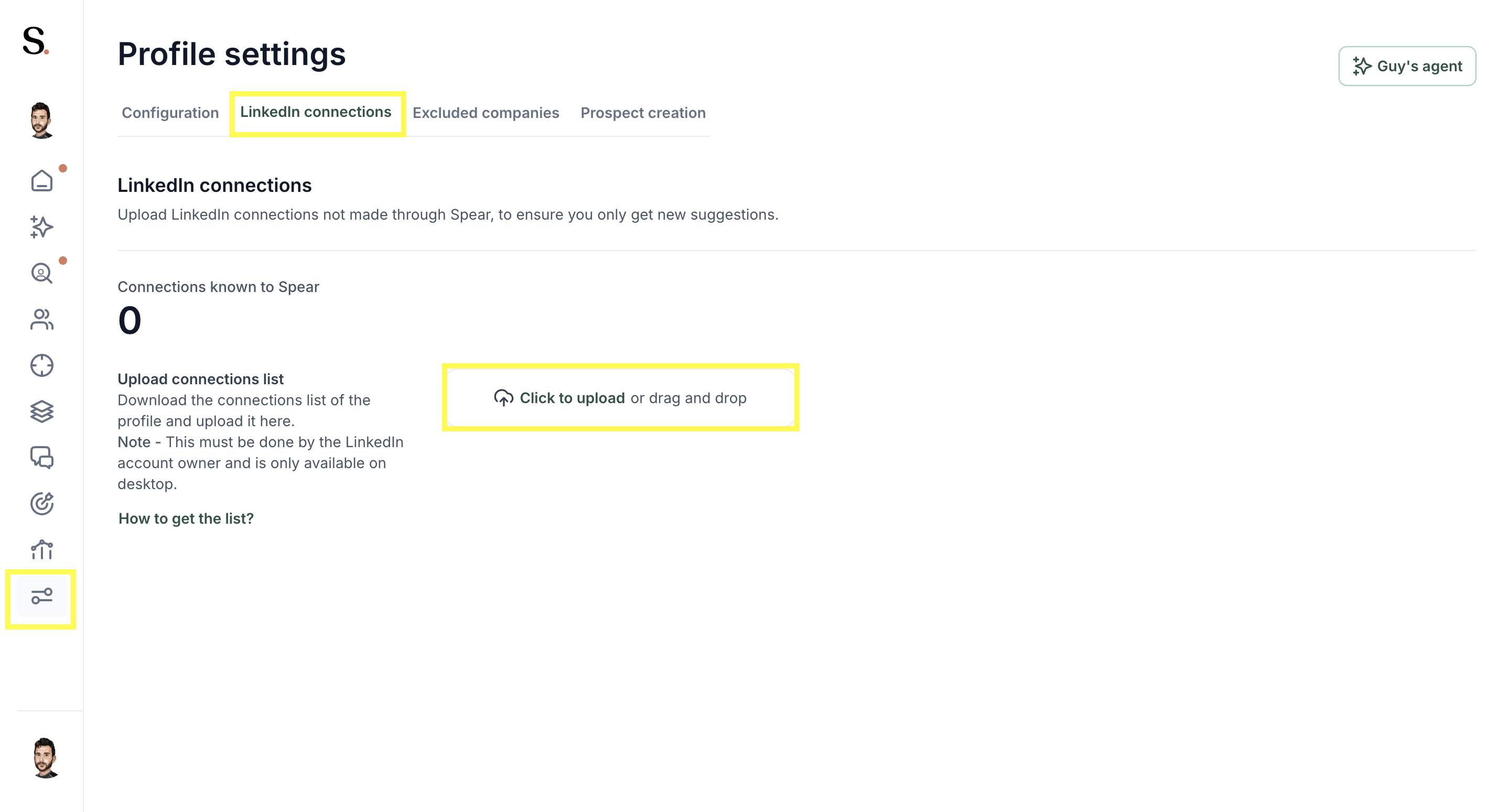
Step 7: Upload the 'Connections' CSV In Spear, navigate to 'Profile settings', then click 'LinkedIn connections', and lastly 'Click to upload' your connection file.
Once uploaded, your connection count will automatically update as you make new connections through Spear. However, any connections made outside of Spear will not be included. For this reason, we recommend re-uploading your connections every 3 months to keep the data fully accurate.
Once uploaded, your connection count will automatically update as you make new connections through Spear. However, any connections made outside of Spear will not be included. For this reason, we recommend re-uploading your connections every 3 months to keep the data fully accurate.


.avif)
