
How to export prospects via CSV
 May 12, 2026
 5 min read
Enabling Multi-Channel Outreach
Spear allows you to export all relevant prospect data into a CSV file. This feature is essential for syncing data with your CRM/ERP, managing prospect lists offline, or extending your outreach strategy to other channels.
Before getting started, make sure you have:
- Prospects generated and available in your dashboard.
Step 1: Initiate the Export
Navigate to the Prospects tab in your Spear dashboard.
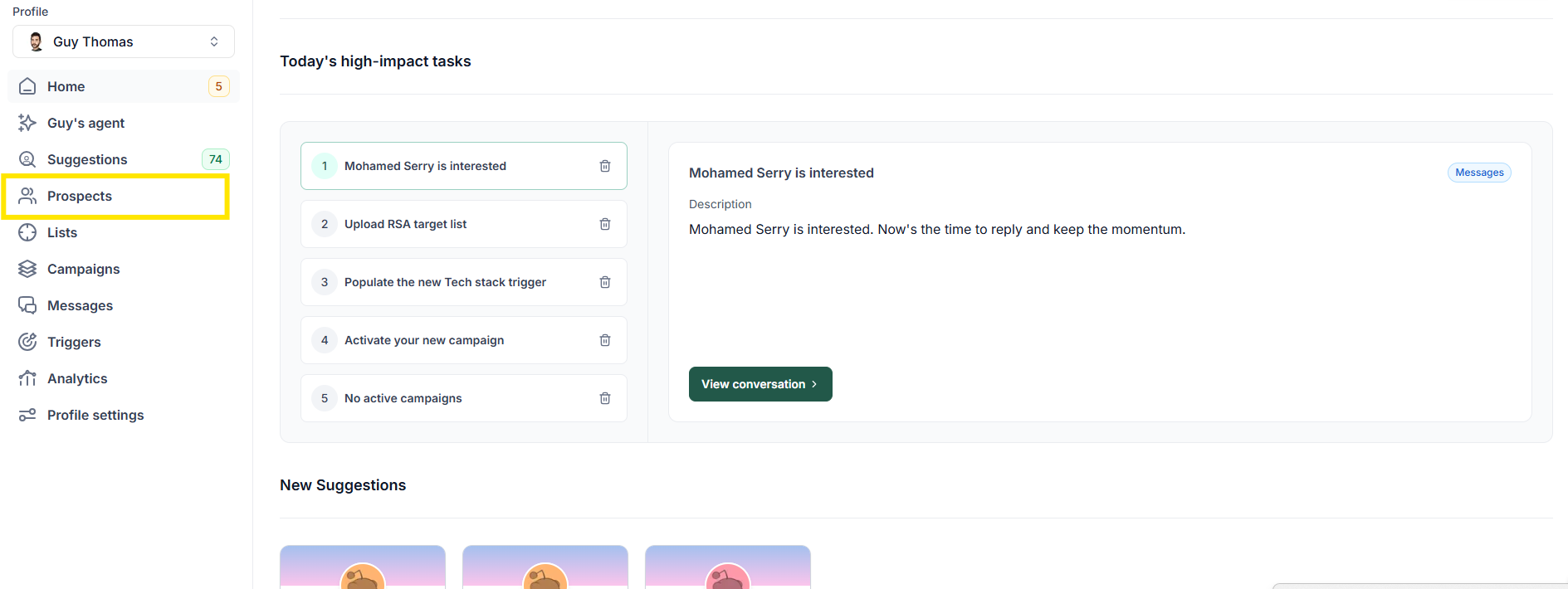
Step 2: Filter the Prospects
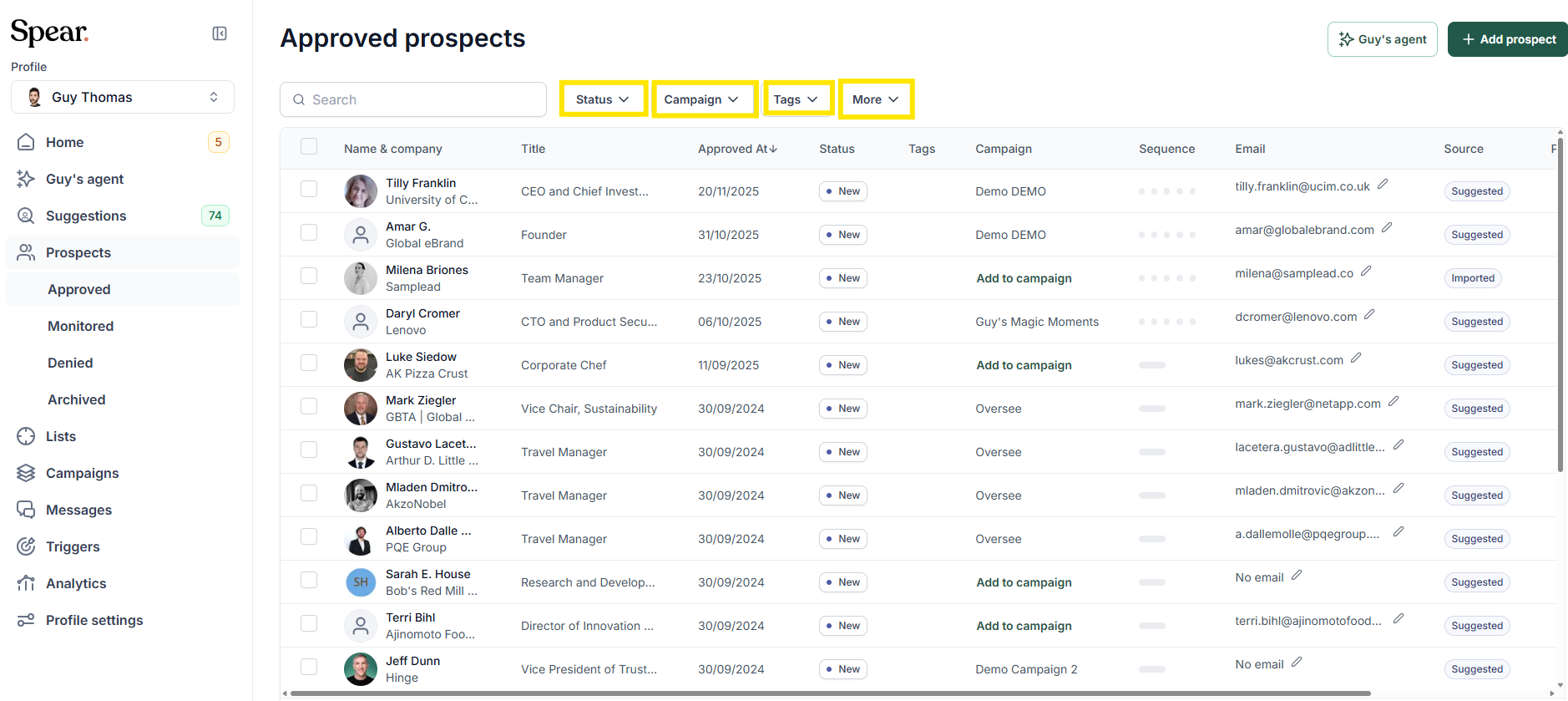
Use the filters to narrow down the list based on your criteria. Common filters include:
- Status – View prospects by their current funnel status (In Queue, Connection request, Connected, Replied, Interested, Booked)
- Campaign – Display prospects that belong to a specific outreach campaign.
- Tags – View prospects by custom labels used to group specific sets of prospects.
- More Filters – Additional conditions such as Triggers, Indicators, and Prospect location.
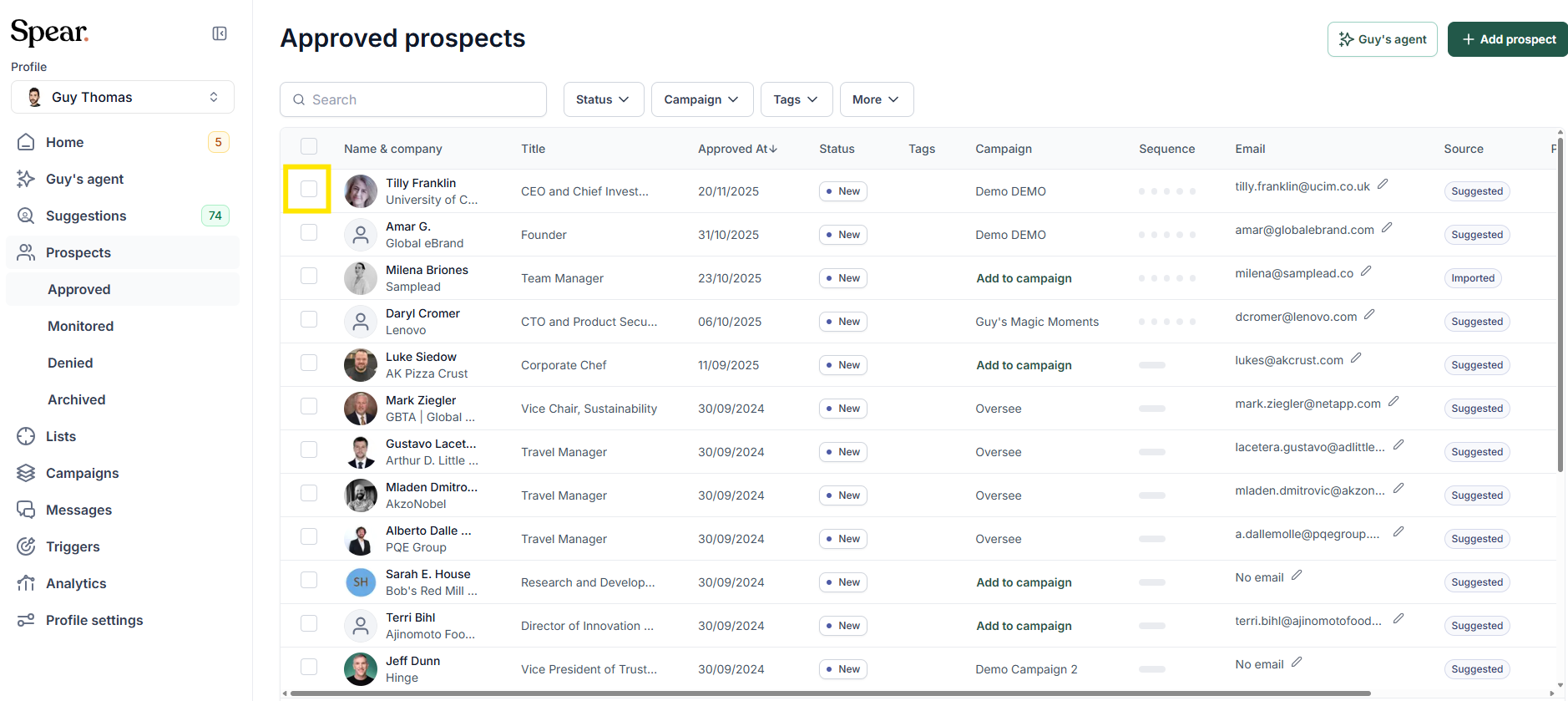
Step 3: Select the Prospects
Click the checkbox to the left of the prospect you want to export.
Step 4: Confirm Selection
Click the button showing the total number of selected prospects (e.g., “1188 selected”).
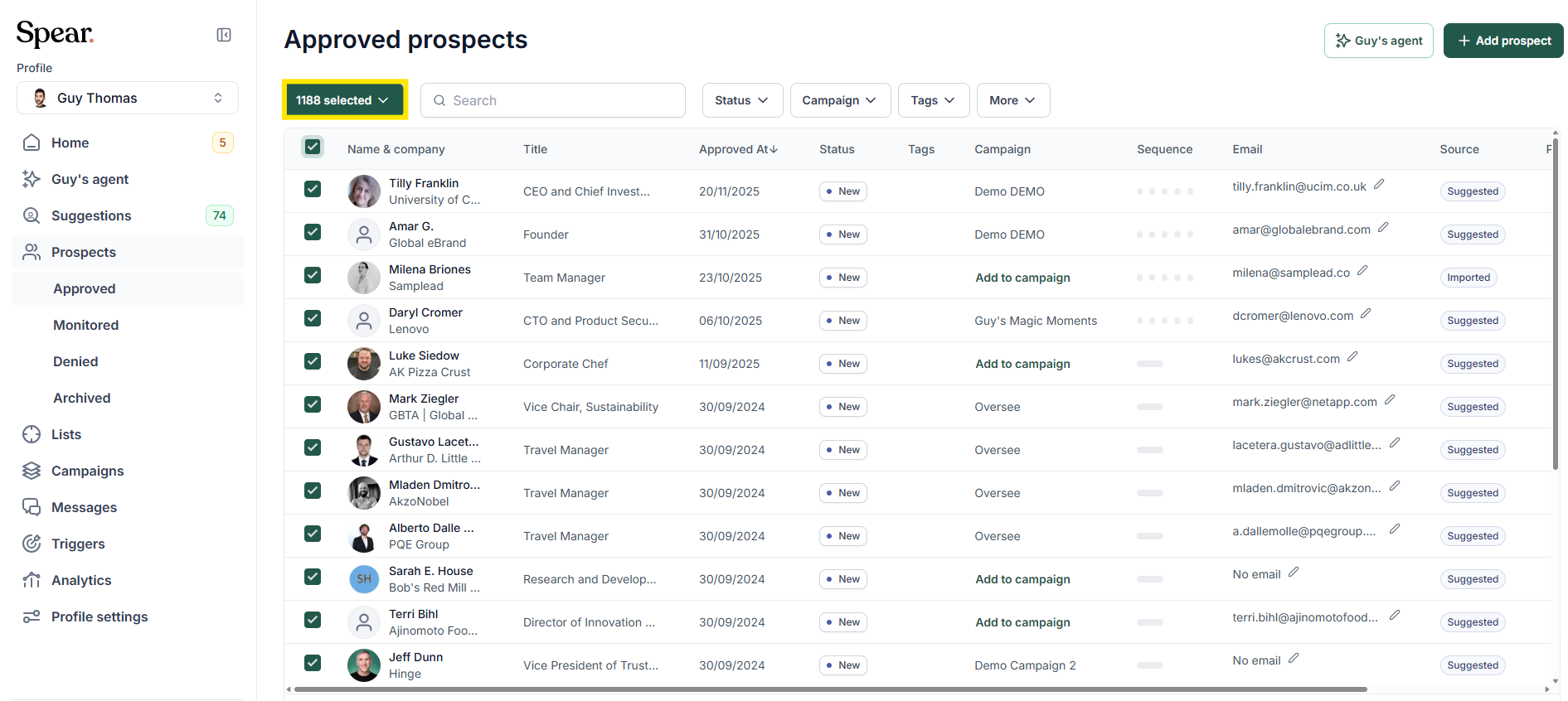
Step 5: Finish the export
From the dropdown menu that appears, select 'Export to CSV'.
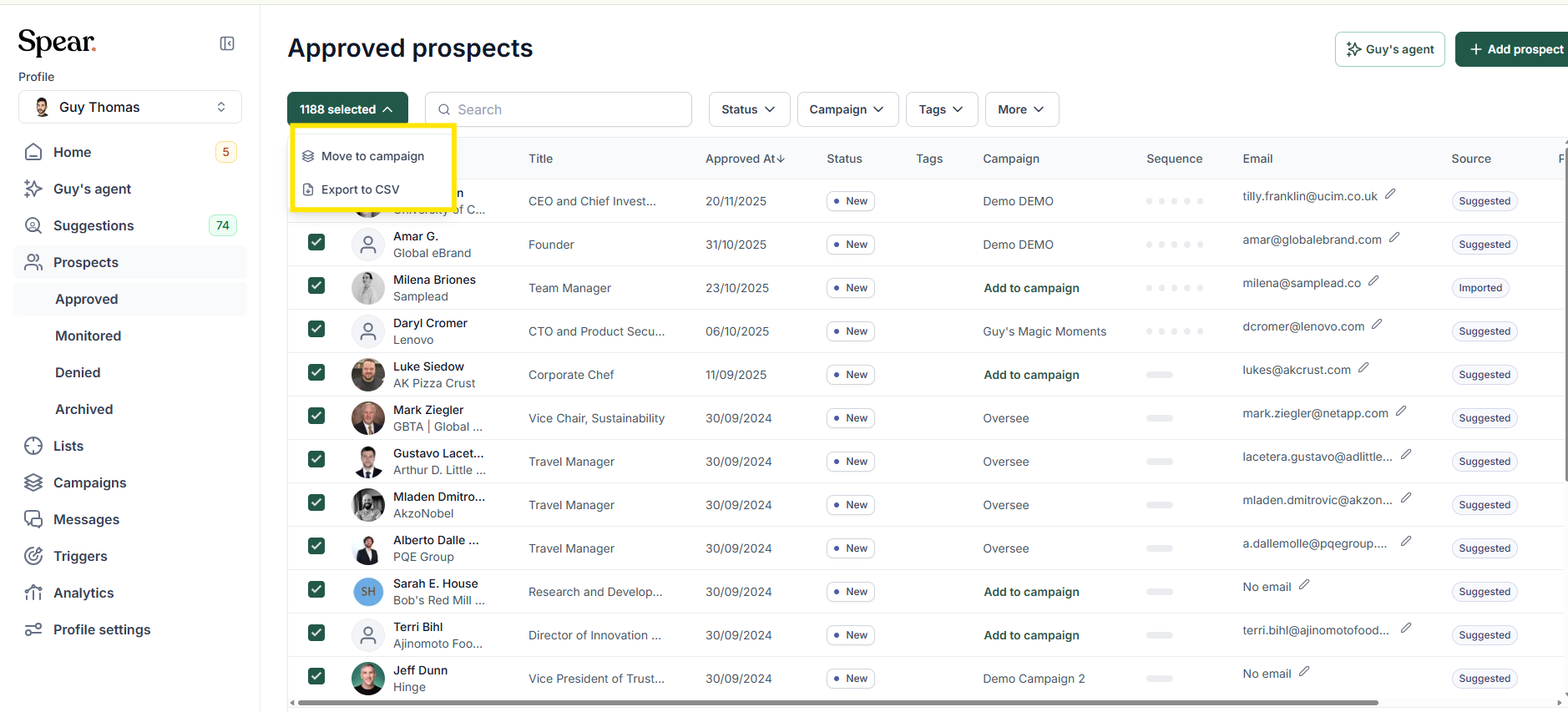
Your file will be downloaded with the following name: prospects.csv
If you need to export Connected prospects from multiple LinkedIn profiles, repeat this process for each profile separately and combine the CSV files as needed
Related Articles
Ready to maximise your outreach potential? Now that you have your data, read our guide on How to copy a sequence from one user to another to scale your most successful messaging strategies across your team.


.avif)
