
How to Manage Prospects Who Have Shown Interest
 May 12, 2026
 5 min read
"Can I automatically follow up with prospects who have shown interest?"
Overview: When a prospect replies to your message, Spear automatically pauses the outreach sequence to prevent automated follow-ups. To continue nurturing interested prospects without manual follow-ups each time, use a dedicated post-interest campaign.
Step 1 — Create a "Post-Interest" campaign
Go to Campaigns → + New Campaign → select Existing Network.
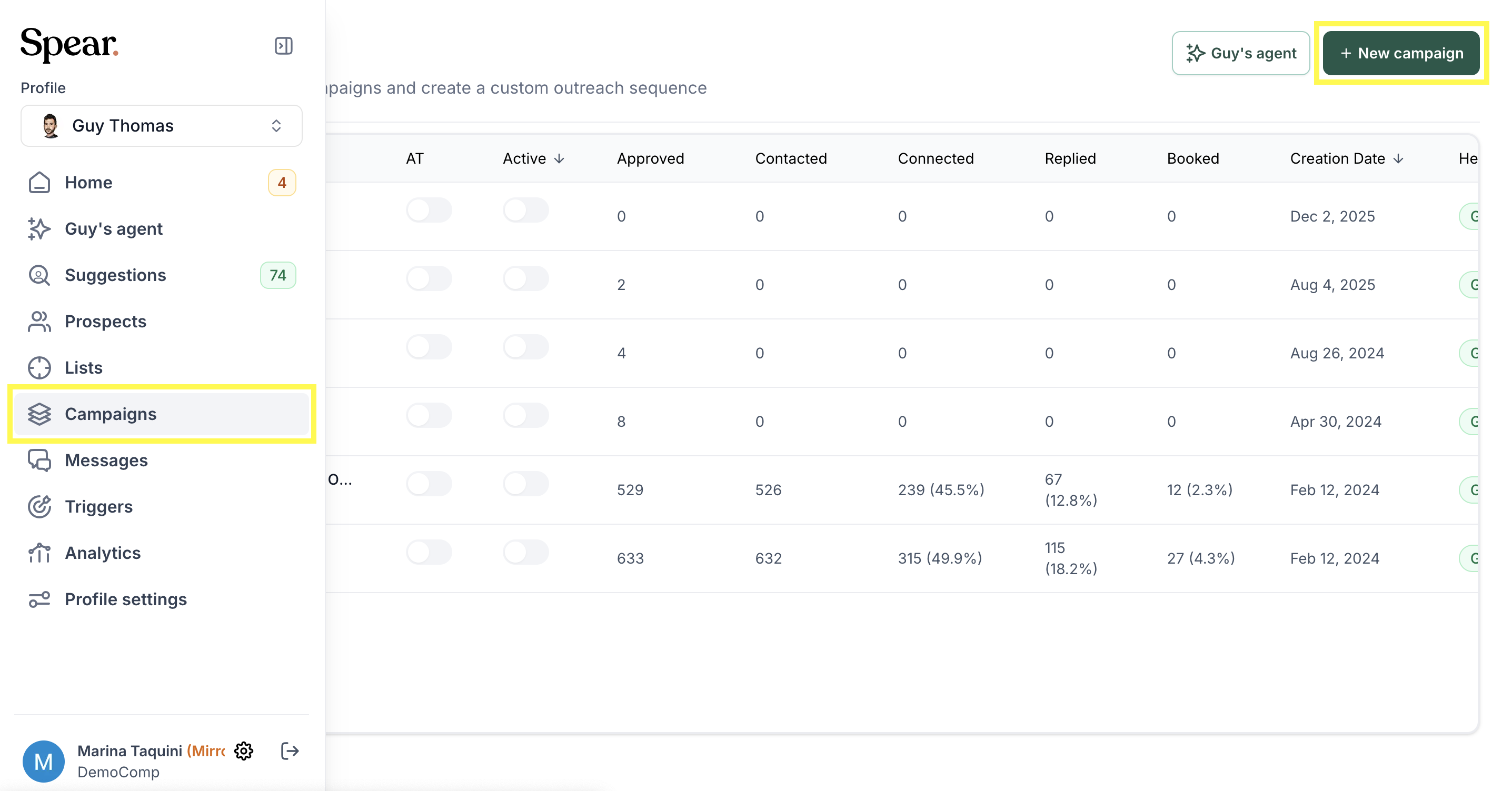

Set up your follow-up sequence to schedule a call, start a trial, or whatever your next step is.
Step 2 — Move the prospect to the new campaign. When you see a positive response in your inbox:
- Go to the Prospects tab
- Search for the prospect

3. Click "Move to campaign"
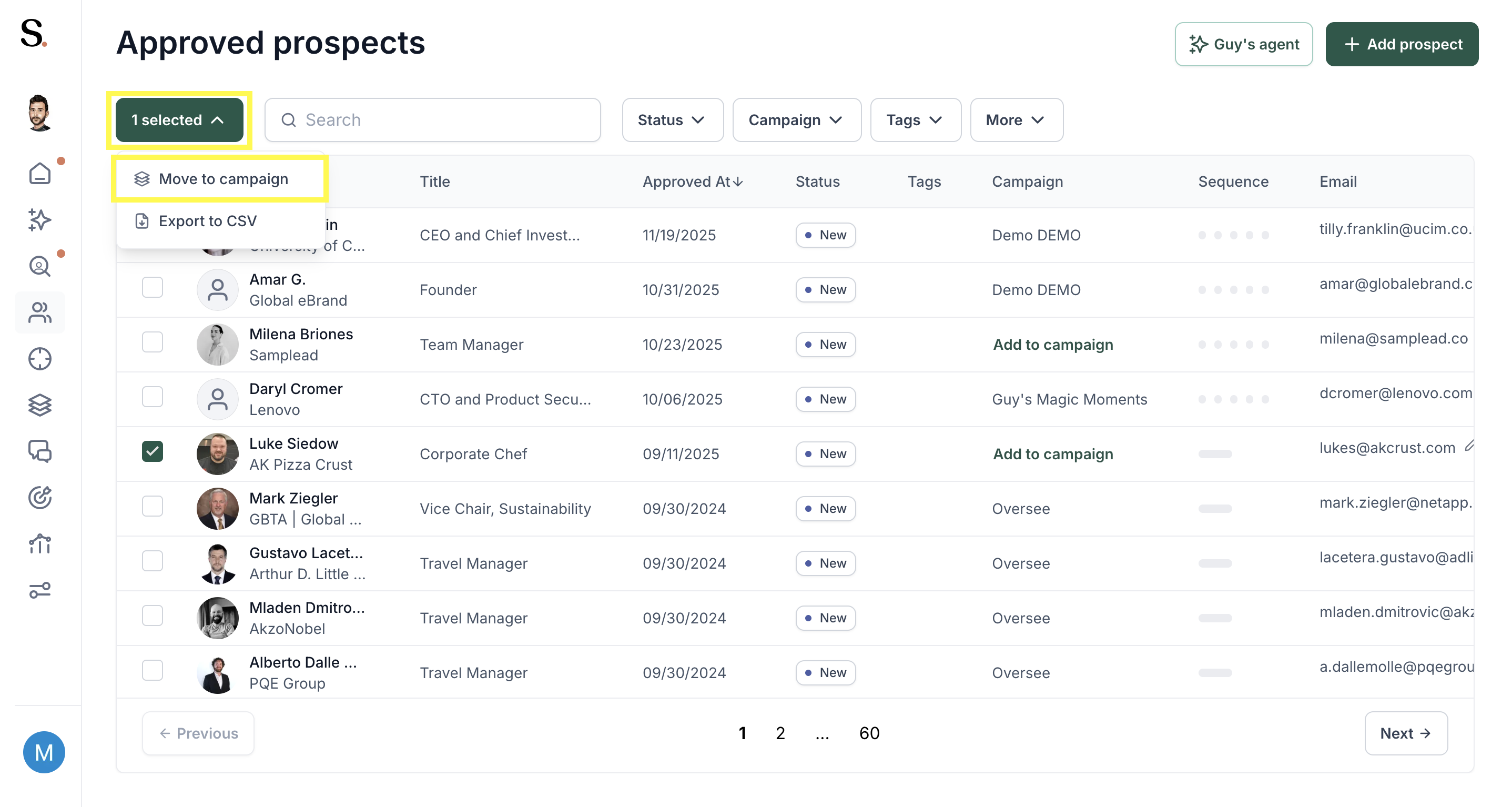
4. Select your Post-Interest campaign
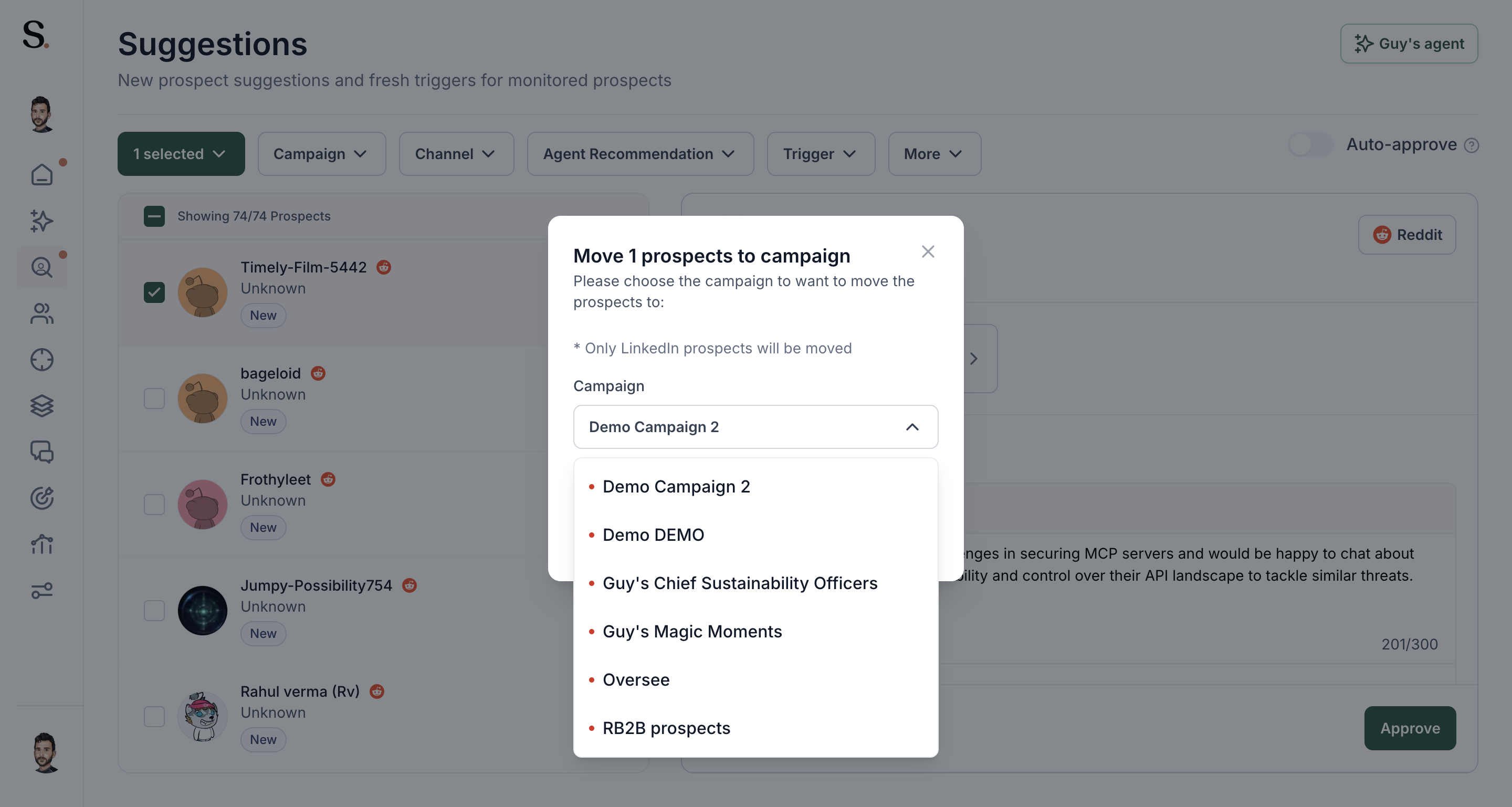
The prospect will now enter your new automated sequence automatically.
Note This is currently a manual step — there is no automatic trigger to switch campaigns based on a reply. The move needs to be done from the Prospects tab each time a prospect shows interest.


.avif)
