
Home>Knowledge Base>FAQs>Why is my prospect still "In Queue" and not moving to "Connection Request"?
Why is my prospect still "In Queue" and not moving to "Connection Request"?
 May 12, 2026
 5 min read
"In Queue" means the prospect was approved, but the connection request hasn't been sent yet. This is normal — Spear manages sending pace to protect your LinkedIn account.
Why it happens
- Spear sends connection requests gradually based on your account's weekly limit
- Even if you approve many prospects at once, the system queues them and sends them over time
- Weekends slow things down — prospects approved on Thursday/Friday may take longer to move
What to check
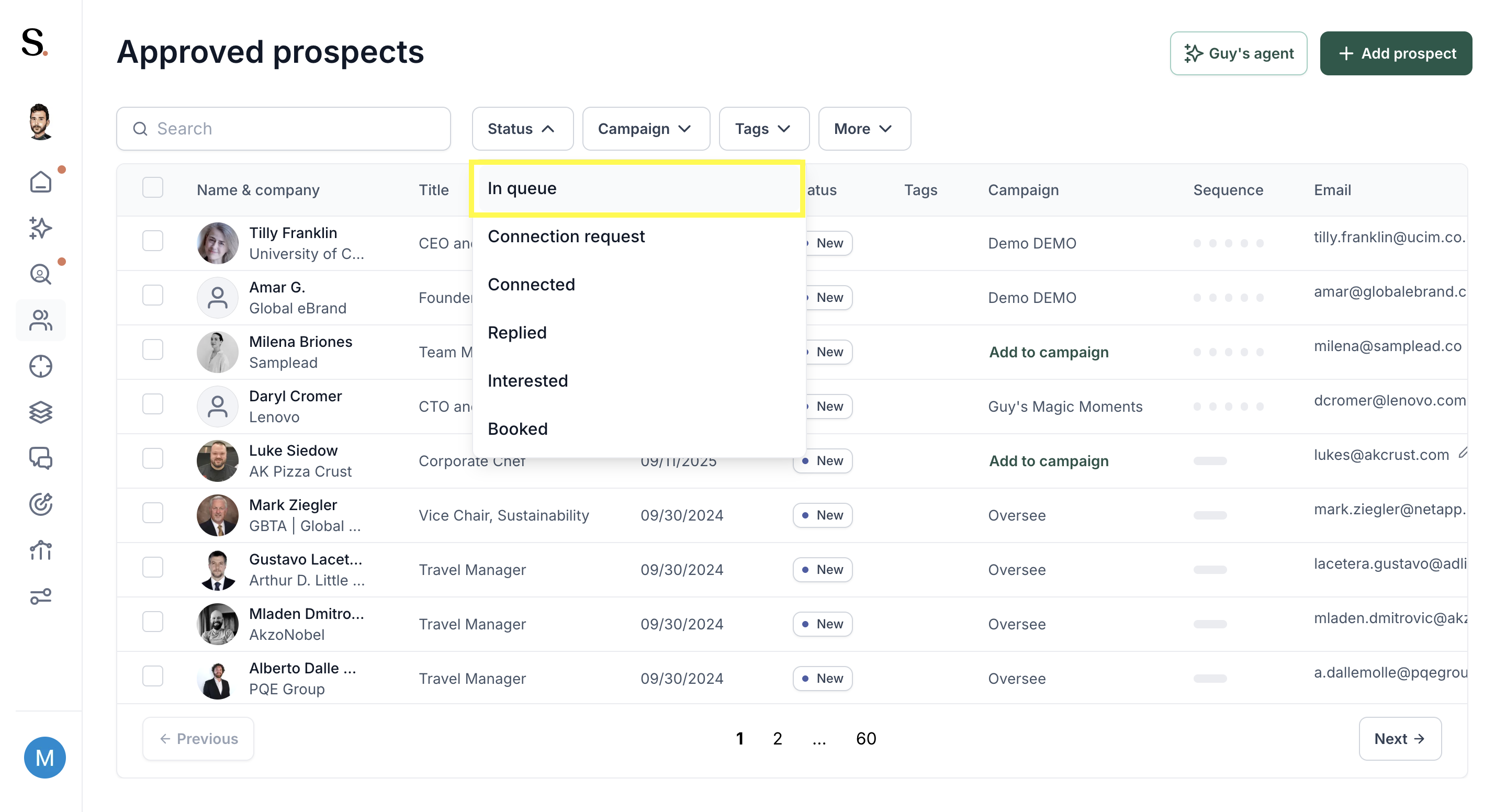
- Go to the Prospects tab and filter by In Queue
- Confirm your campaign is active — paused campaigns won't send requests
- Give it 2–3 business days before raising a concern
💡 Enable Auto-Approve to reduce delays between suggestion and sending.


.avif)
