
Calendar link integration UTM - auto change booked status
 May 12, 2026
 5 min read
Spear automatically marks a prospect's status as Booked when a meeting is scheduled through a tracked calendar link. This feature requires the link to be inserted using the platform’s designated calendar placeholder. The system ensures tracking accuracy by generating a unique link with a UTM parameter for each prospect.
How it works
When calendar integration is active, Spear provides a placeholder for the meeting link.
This placeholder produces a unique, tracked link tied to the specific prospect.
Any meeting booked through that link will automatically update the status to 'Booked'.
How to insert the Calendar Link
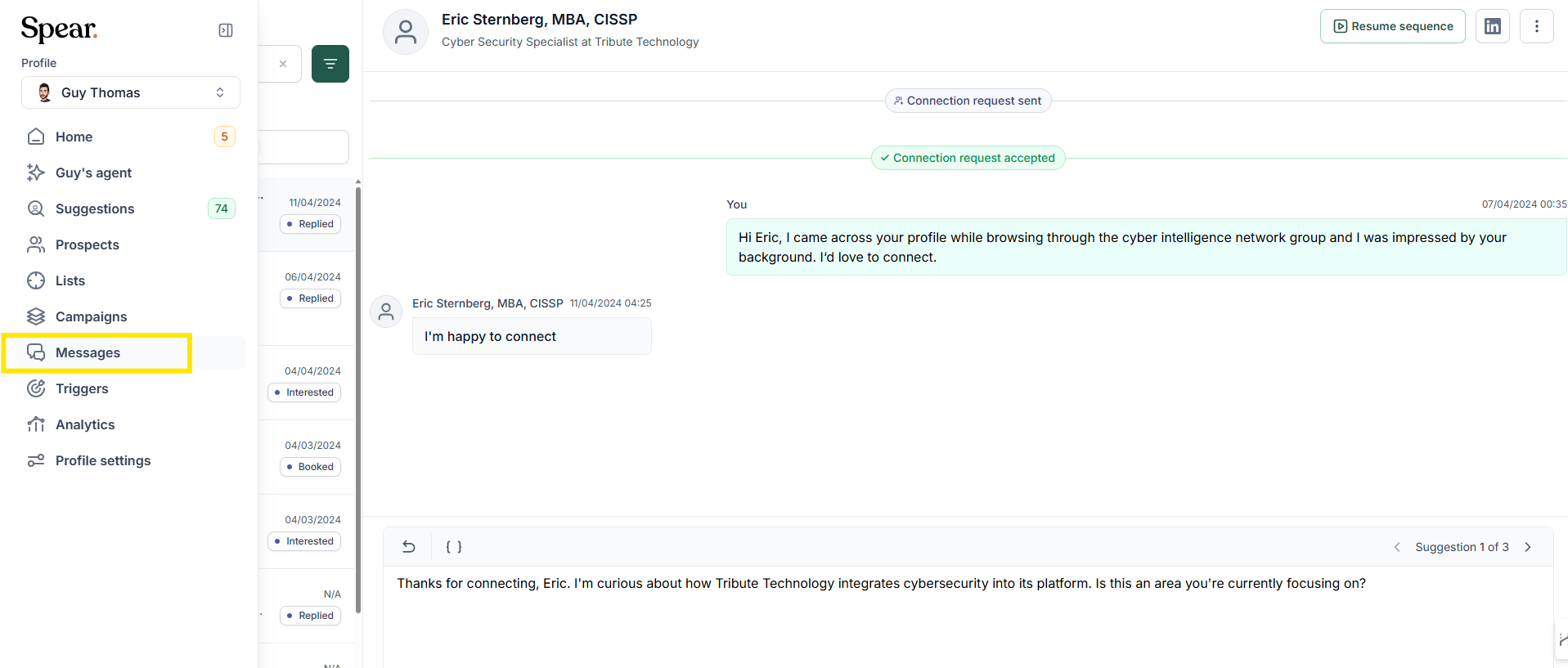
1. From the left-side dashboard, open the Messages tab.
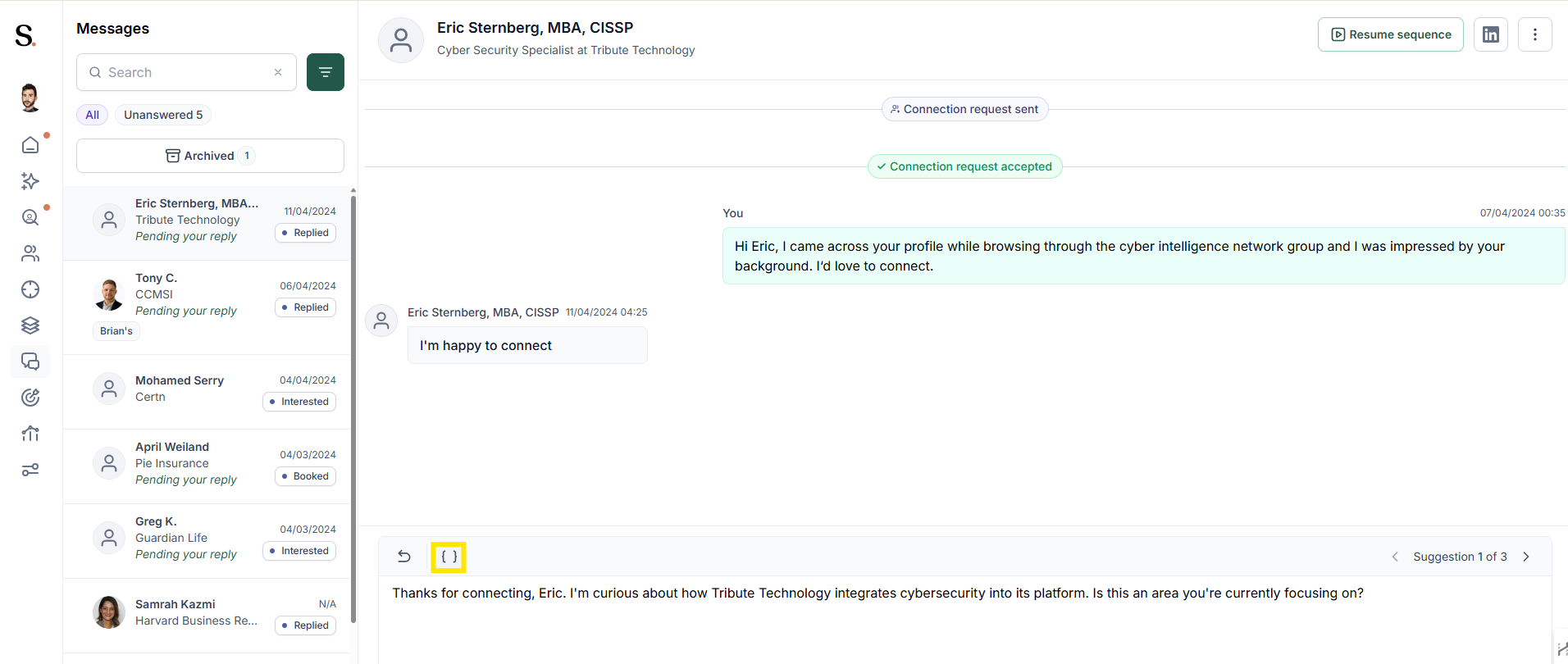
2. In the message editor, click the { } icon.
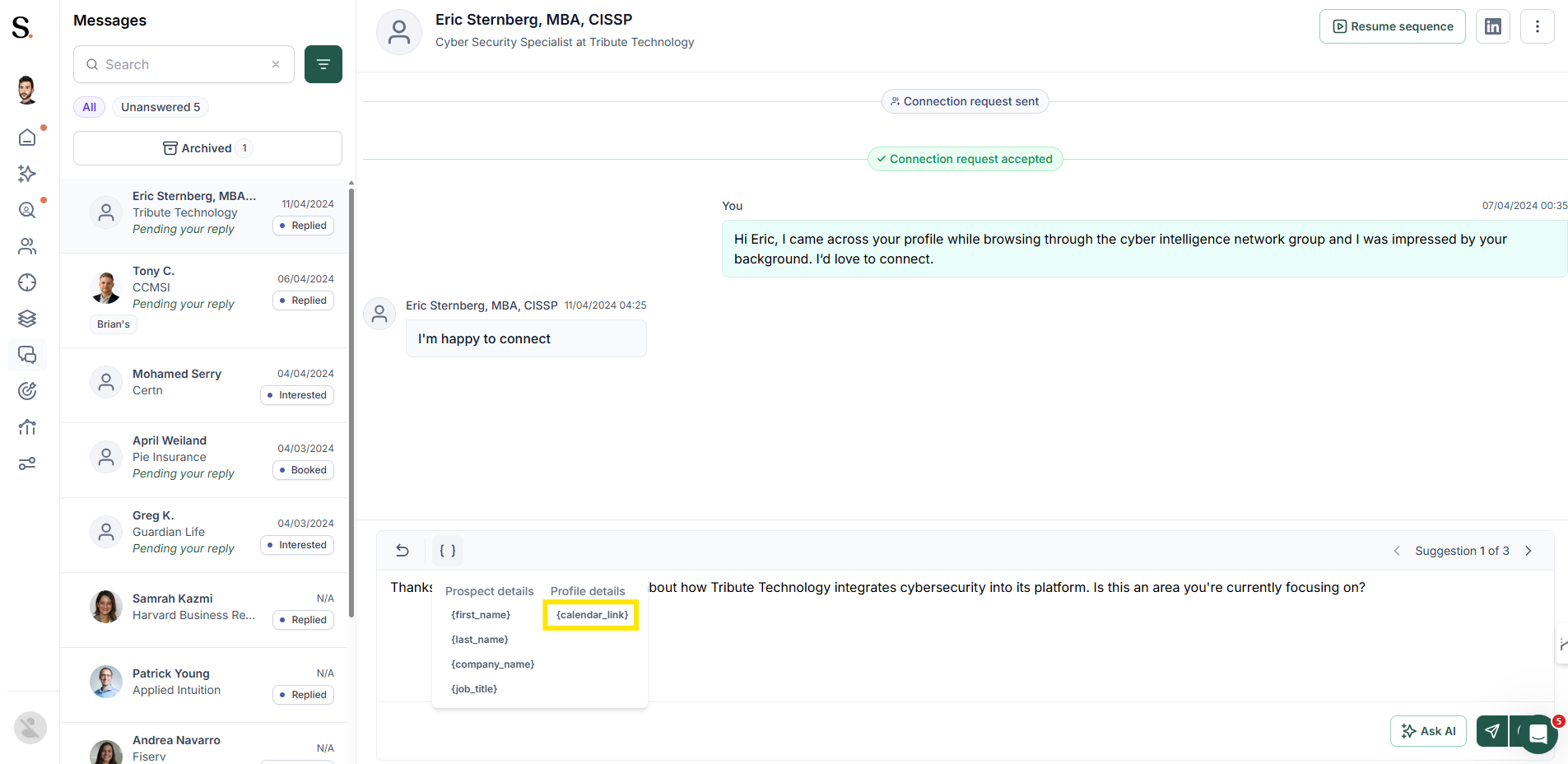
3. The placeholder menu opens, displaying categories such as:
- Prospect details
- Profile details
4. Select Profile details → {calendar_link}.
5. Spear replaces it with your integrated calendar link.

6. A unique UTM is automatically added for that prospect.
When a meeting is booked through this link, the status updates without manual action.
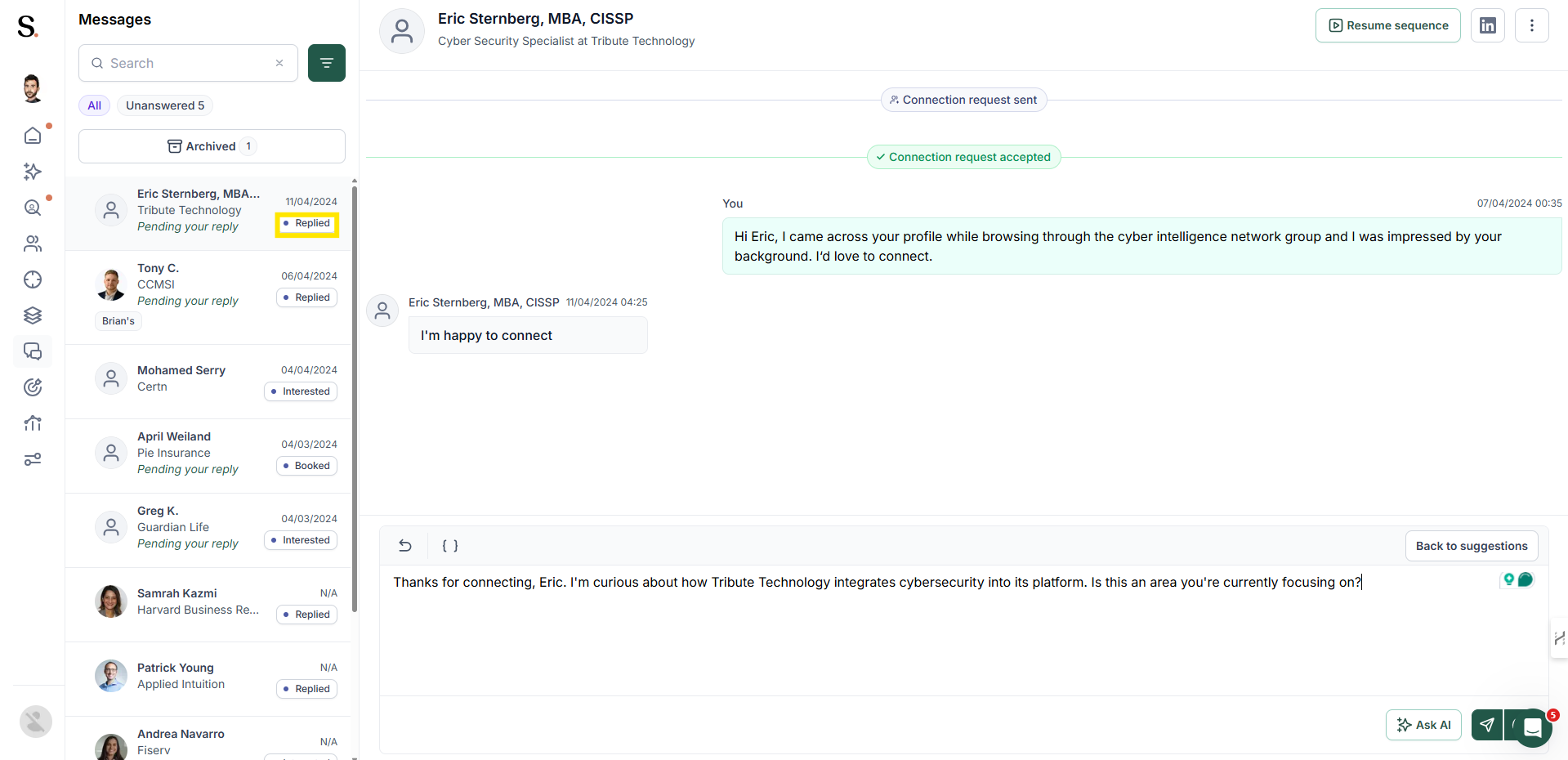
When the Status Updates Automatically
The system automatically updates the prospect's status to Booked when all of the following conditions are met:
- The link was inserted using
{calendar_link}. - The meeting was booked through the generated tracked link.
- The calendar integration is active.
When the status does not update automatically
Auto-tracking does not trigger when:
- A manual link is pasted instead of the placeholder.
- A meeting is arranged outside the link (e.g., agreeing on a time in chat).
- A different calendar link or tool is used.
- The integration is disconnected.
In these cases, the status must be overridden manually.
->For more information, click here


.avif)
