How to connect your Calendly / Hubspot meeting link to Spear
 May 11, 2026
 5 min read
We recommended integrating your Calendly / Hubspot meeting link with Spear because:
- It can be added in the campaign copy - sometimes prospects prefer to click on it and book a meeting directly instead of engaging with small talk
- It improves data accuracy — a prospect's status changes to 'Booked' only once they schedule a meeting via the supplied meeting link in Spear
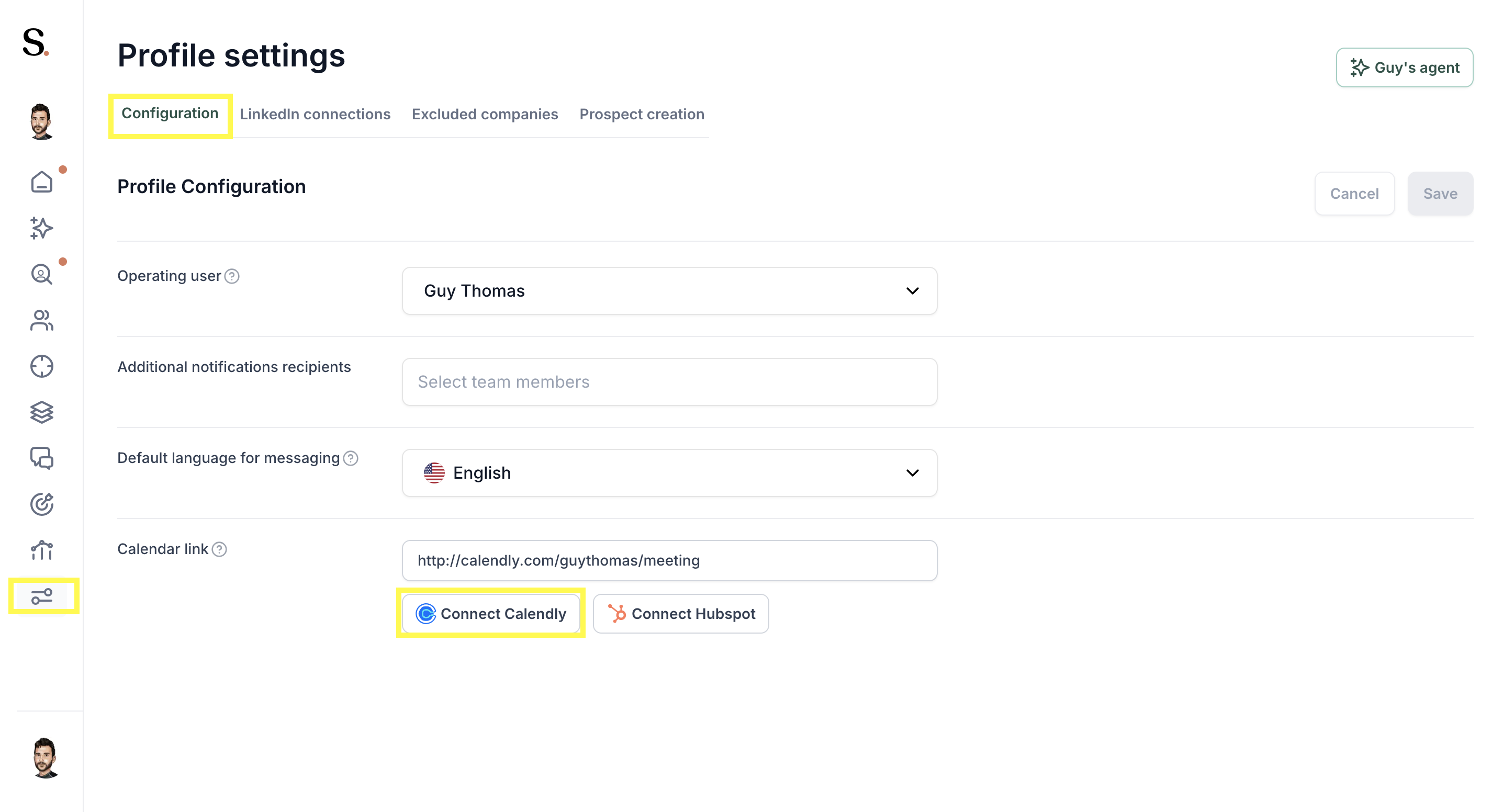
Step 1: In "Profile settings" on the left, click on "Configuration" and for this example, "Connect Calendly"
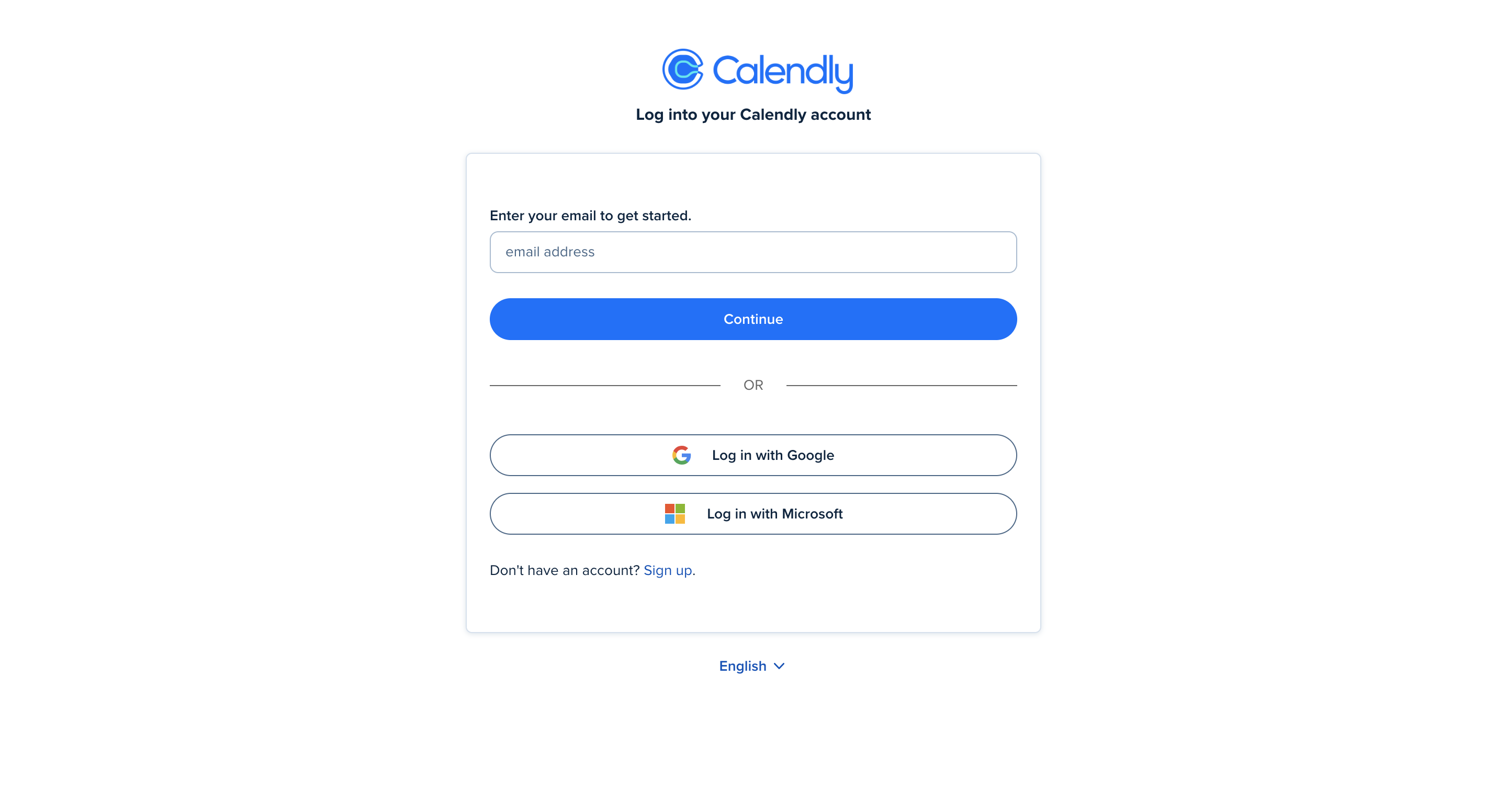
Step 2: Enter your Calendly email credentials
Step 3: Select the meeting link you wish to use
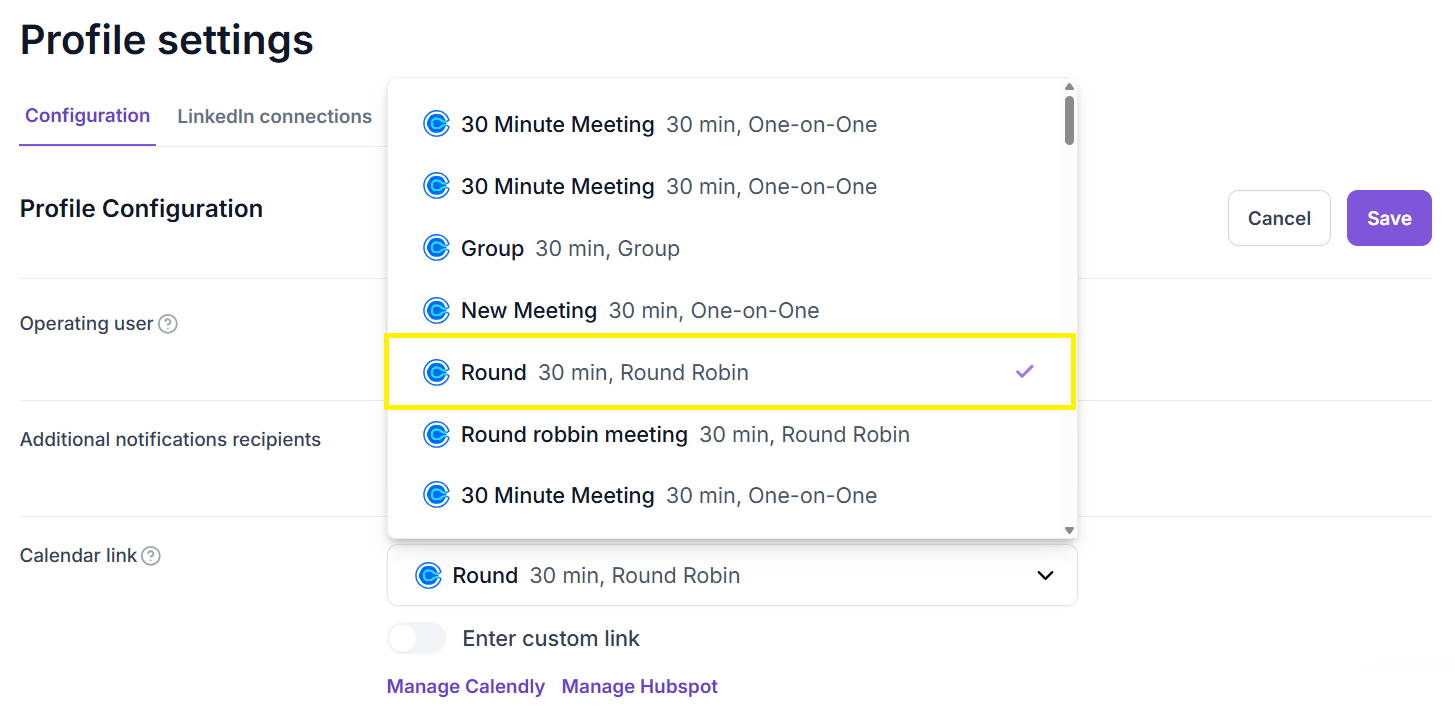
If you hover your cursor over the meeting link name, the full link name will be displayed

This article explains whose meeting link is recommended to use when a different team member is managing the profile connected to Spear.
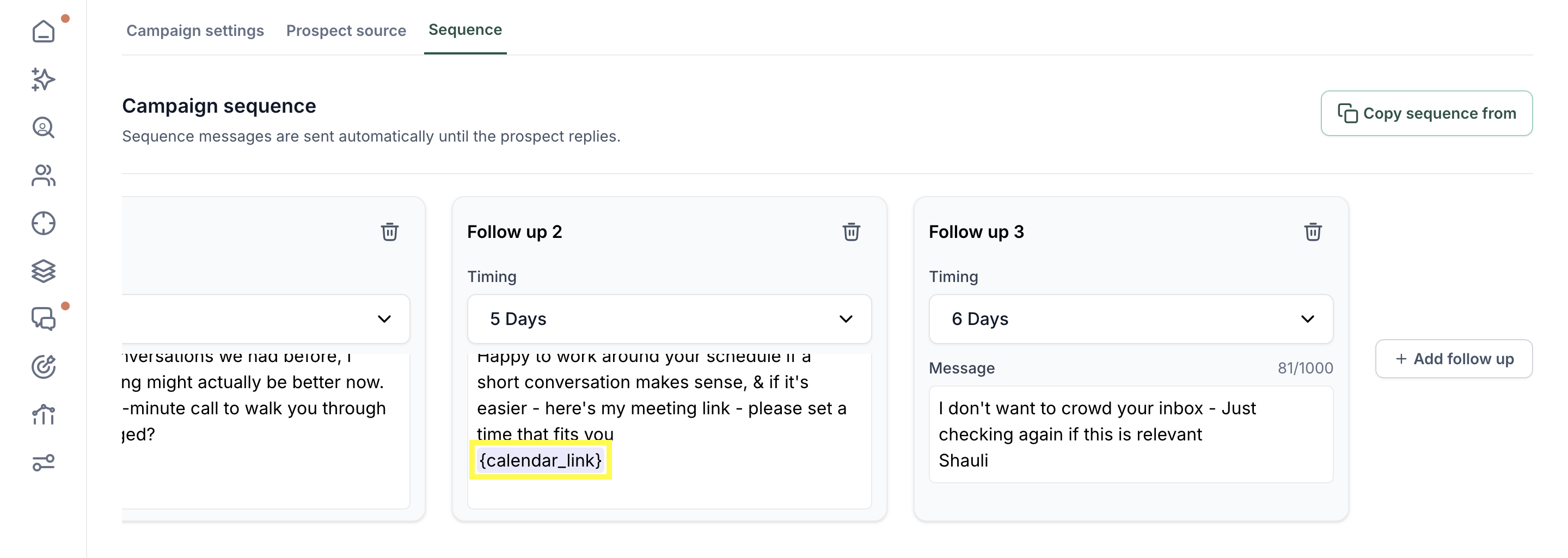
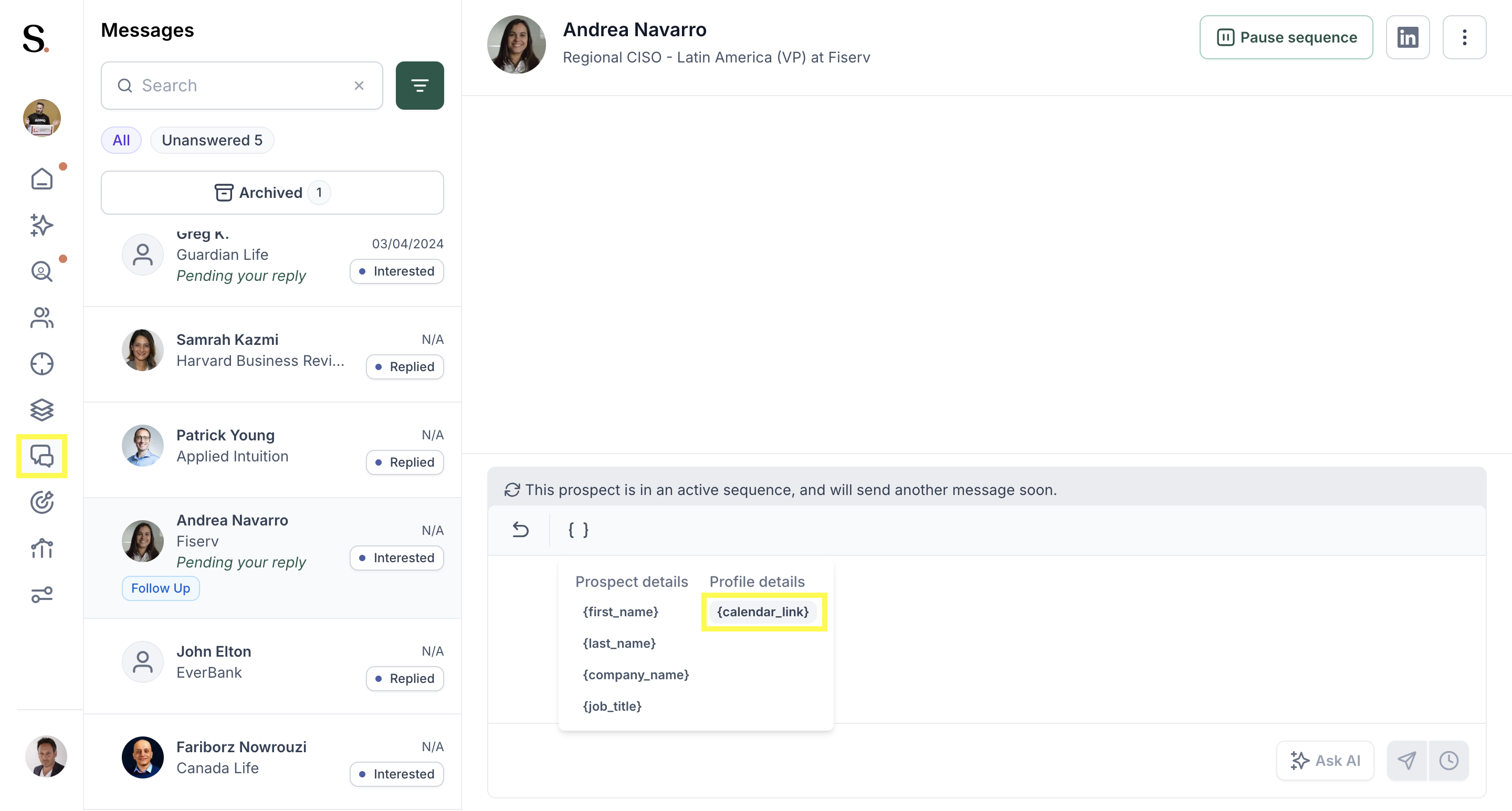
When you complete the calendar link integration, the {calendar_link} placeholder is automatically populated with the meeting link in two places:
Firstly, within the campaign copy
Secondly, within messages Note: The link text will look different from the original and will be unique for each prospect due to the embedded UTM - this allows us to track when a prospect books a meeting via the link
You can still add a meeting invite link without the integration, however this is less recommended because prospect statuses will not update automatically without the UTM, and this reduces data accuracy


.avif)