Moving Prospects Between Campaigns
 May 12, 2026
 5 min read
How do I move prospects from one campaign to another?
It's simple! Follow these steps:
- Go to the Prospects tab
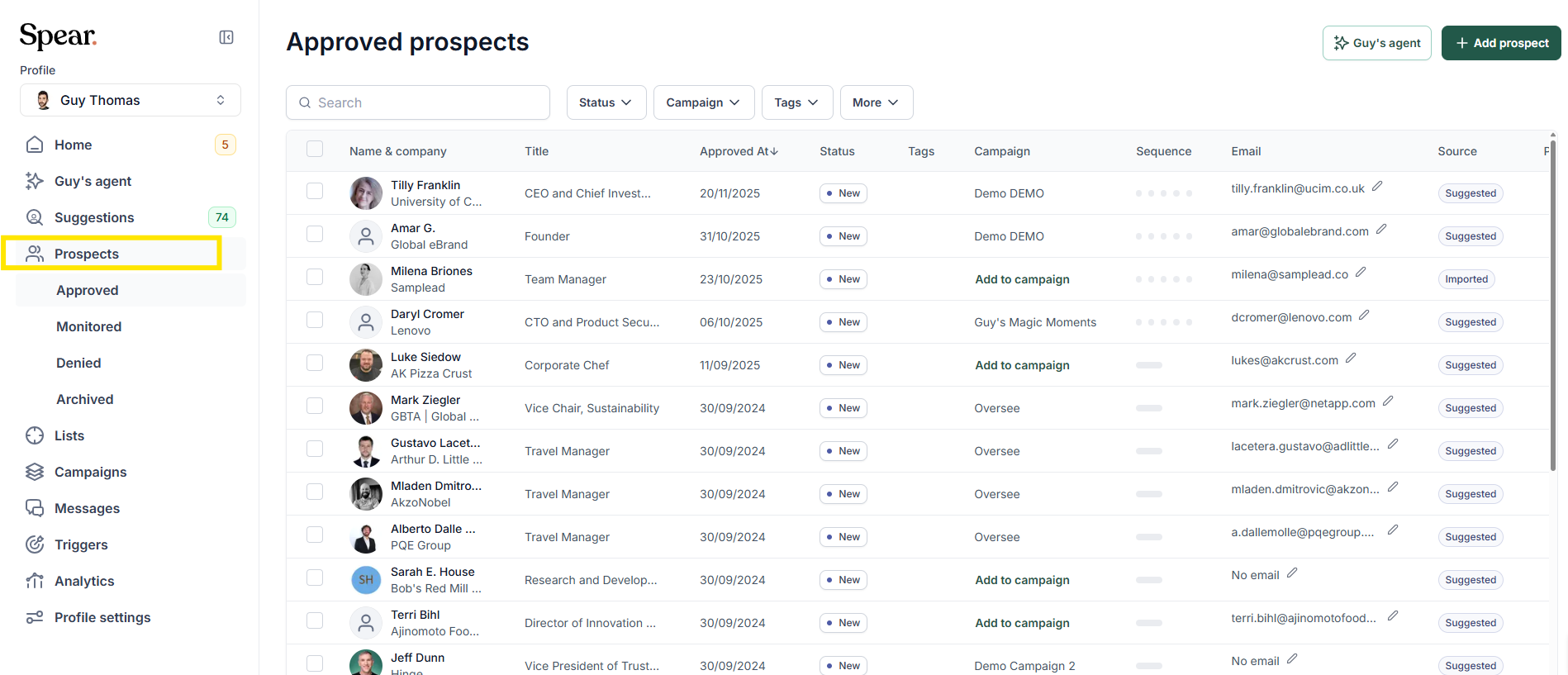
2. Select the prospect(s) you want to move (You can move one prospect at a time or select multiple at once)
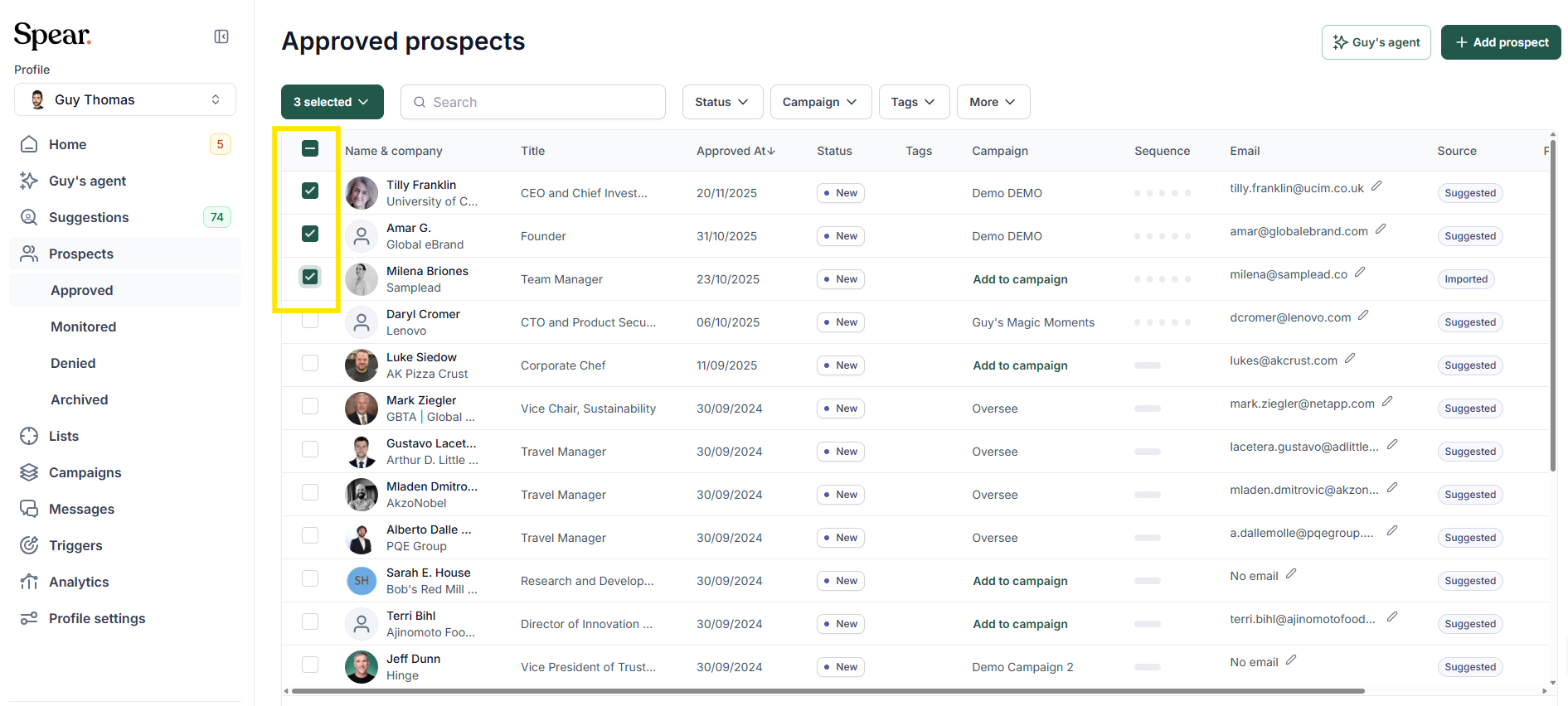
3. Click the purple action button → select Move to Campaign

4. Choose the destination campaign → done!
What happens to my prospects when I move them?
No data is lost. The prospect's history is preserved. However, they will enter the new campaign's sequence from the beginning based on that campaign's settings and type.
What if the destination campaign is inactive?
If the destination campaign has a red dot (inactive), messages will not be sent — even if the prospects are approved. Make sure the campaign is active before moving prospects into it.
Can I move prospects when deactivating a campaign?
Yes! When you deactivate a campaign, Spear lets you move any "In Queue" prospects (those who haven't been contacted yet) directly into a new campaign. Their tailored connection requests will remain unchanged, unless the new campaign uses a different custom connection request.
What happens when I move a prospect from a Custom campaign to a Tailored one?
The system logic resets. Since Tailored campaigns generate messages based on specific signals (e.g., LinkedIn posts, recent news), the AI needs to find a fresh trigger for that prospect.
💡 Best practice: Move the prospect to "Monitor for Another Trigger" status first. This places them in a waiting room so the AI can continuously scan for new activity and auto-generate a message once a trigger is detected.
Can I move prospects after they've replied?
When a prospect replies, automation stops automatically (to avoid robotic follow-ups). To re-engage them with a new sequence:
- Filter prospects by status (e.g., Replied or Interested) in the Prospects tab
- Select the prospect → click Move to Campaign
- Choose a dedicated follow-up campaign (e.g., a "Post-Interest" or "Trial Setup" campaign)
Alternatively, if you want to keep them in the same campaign, use the Resume Sequence button in the conversation window to reactivate the automated flow.
Can Spear automatically move a prospect to a new campaign after they reply?
Not automatically — this action is currently manual. When you spot a positive response in your Inbox, you can manually move the prospect to a new campaign to restart an automated sequence tailored to their interest.
💡 Pro tip: If your goal is to get prospects to book a meeting, use the {calendar_link} placeholder in your messages. Once a prospect books through the link, their status automatically changes to Booked and all further automated messages stop.
Related Articles
- How to Move Prospects in Suggestions to a Different Campaign or Profile
- What is the difference between Trigger-Based and Custom Campaigns?


.avif)